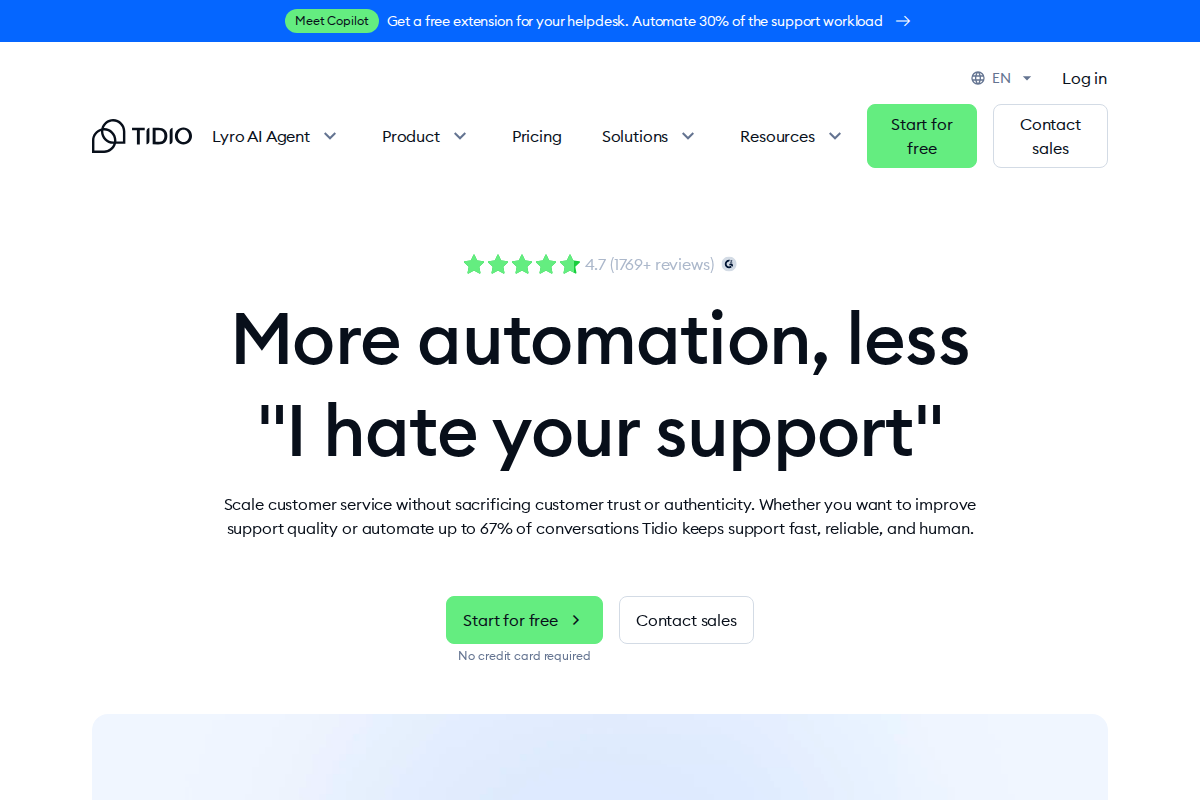
Tidio is a customer service platform that combines live chat, AI chatbots, and automation into a single tool. It's used by small and mid-sized businesses — particularly e-commerce stores — to handle customer conversations across their website, email, Messenger, and Instagram.
The pitch is straightforward: install a chat widget, let AI handle the common questions, and route the rest to your team. But how well does it actually work, and is the pricing as friendly as it looks?
Here's what you need to know.
What Tidio Does
Tidio is built around three core products:
Live Chat — A real-time chat widget for your website. Visitors click it, your agents respond. It includes features like typing preview (you see what the visitor is typing before they hit send), canned responses, visitor information panels, and offline messaging.
Lyro AI Agent — An AI chatbot that reads your support content and answers customer questions automatically. It doesn't follow a rigid script. It processes the question, pulls from your knowledge base, and generates a natural-language response. Think of it as a support agent that never sleeps and doesn't need training — just your existing help articles.
Flows — A visual drag-and-drop builder for automated workflows. These are rule-based: if a visitor lands on your pricing page and stays for 30 seconds, trigger a chat message. If someone asks about shipping, route them to a specific department. Flows are predictable and repeatable — they do exactly what you tell them to.
All three can run together. A visitor lands on your site, Flows triggers a greeting, Lyro handles the initial question, and if the issue is complex, it hands off to a live agent with full conversation context.
Setup and First Impressions
Getting started takes about 15 minutes. You create an account, add a code snippet to your website (or install the Shopify/WordPress plugin), and the chat widget appears on your site. No developer needed.
The dashboard is clean. You manage conversations, set up Flows, configure Lyro, and view analytics from one interface. There's no steep learning curve — if you've used any messaging app, you'll know how to navigate this.
The onboarding walkthrough is useful. It guides you through each feature step-by-step instead of dumping everything on you at once.
One note: Tidio's branding appears on your chat widget unless you're on the Growth plan or higher, where you can pay $20/month to remove it. Plus and Premium plans include branding removal.
Lyro AI: The Standout Feature
Lyro is what separates Tidio from basic live chat tools. Here's how it works in practice:
You feed it your support content — help center articles, FAQ pages, product documentation. Lyro processes this content and uses it to answer customer questions. When a visitor asks "What's your return policy?", Lyro finds the relevant information from your content and writes a response. Not a copy-paste — an actual answer that addresses the specific question.
What's good:
- It handles routine questions well. Shipping info, return policies, business hours, product specs — anything covered in your support content, Lyro can usually answer.
- It knows when to hand off. If a question falls outside its knowledge base, it escalates to a human agent instead of guessing.
- Multi-language support. Lyro can respond in several languages, which matters if you sell internationally.
- It counts conversations, not messages. One customer interaction counts as one conversation, even if Lyro sends a dozen messages within it.
What's not great:
- The free tier gives you 50 Lyro conversations. That sounds like a lot until you realize a busy e-commerce store can burn through that in a few days.
- Complex or nuanced questions trip it up. If a customer's situation doesn't map neatly to your help articles, Lyro will either give a vague response or escalate. That's the right behavior, but don't expect it to handle edge cases.
- It's an add-on. Your base plan doesn't include Lyro beyond the initial 50 conversations. The paid Lyro tier starts at $39/month for 50 additional conversations.
Flows: Automation Without Code
Flows is Tidio's automation builder. You create workflows visually — drag triggers, conditions, and actions into a canvas, connect them, and you have a working chatbot.
Common use cases:
- Greeting new visitors and asking if they need help
- Collecting email addresses from visitors who haven't signed up
- Routing conversations based on the page the visitor is on
- Recovering abandoned carts (particularly useful for Shopify stores)
- Answering common pre-sale questions with predefined responses
The builder is intuitive. You don't need to write code or understand API logic. Pick a trigger (visitor opens page, clicks button, types keyword), add conditions (is this a returning visitor? which page are they on?), and define the response.
The free plan limits Flows to 100 unique visitors per month. Paid Flows add-ons start at $29/month for 2,000 visitors.
Pricing Breakdown
Tidio's pricing looks simple at first glance, but the add-on structure means your real cost is often higher than the plan price.
Base Plans
| Plan | Monthly Price | Conversations | Operators |
|---|---|---|---|
| Free | $0 | 50 | Up to 10 |
| Starter | $29 | 100 | Up to 10 |
| Growth | $59 | 250 | Up to 10 |
| Plus | $749 | Custom | Up to 10 (unlimited on custom) |
| Premium | From $2,999 | Unlimited | Unlimited |
Annual billing gives a discount (roughly equivalent to two free months).
Add-On Costs
| Add-On | Price |
|---|---|
| Lyro AI (50 conversations) | $39/mo |
| Flows (2,000 visitors) | $29/mo |
| Branding removal (Growth plan) | $20/mo |
What You'll Actually Pay
A typical small business on the Growth plan that also needs Lyro and Flows will pay around $127/month — not $59. That's still competitive compared to alternatives, but it's worth knowing before you commit.
The Growth plan is the sweet spot for most businesses. It unlocks analytics, team permissions, and enough conversations for a mid-traffic site. Below that, the Starter plan's 100-conversation limit gets restrictive fast.
Shopify Integration
If you run a Shopify store, this is where Tidio shines.
The Shopify app connects your store directly to Tidio. Your chatbots and live agents can access order data, product catalogs, and customer information from within the chat. When a customer asks "Where is my order?", Lyro can pull up their order status automatically — no need for the customer to provide an order number separately.
Abandoned cart recovery through Flows is another strong use case. You set up a workflow that triggers when someone leaves items in their cart, sends a chat message or email after a set time, and offers help or a discount code. It's a straightforward revenue recovery tool.
Multichannel Support
Tidio handles conversations from your website, email, Facebook Messenger, and Instagram DMs in a single inbox. Your agents don't need to switch between tabs or platforms — everything arrives in one queue.
The website chat widget is the core channel and works well. Messenger and Instagram integration pulls DMs into the same inbox, which is useful if you sell through social media. Response times stay consistent because agents see social messages alongside website chats.
Email support was added later and it shows. The ticketing system handles basic cases — customer sends email, agent replies, conversation tracked — but it lacks features you'd expect from dedicated helpdesk tools. There's no SLA management, no ticket priority levels beyond basic tags, and no collision detection (two agents can respond to the same ticket without knowing). If email is your primary support channel, a tool like HelpDesk or Freshdesk will serve you better.
WhatsApp integration is available but requires the WhatsApp Business API, which means a separate application process with Meta. It's not a plug-and-play setup like Messenger.
Analytics and Reporting
Tidio's analytics cover the essentials but won't satisfy data-driven teams.
On the Growth plan and above, you get conversation volume over time, average response times, customer satisfaction ratings, and basic agent performance metrics. The dashboard shows trends clearly and you can filter by date range, channel, and agent.
What's missing: custom reports, exportable dashboards, and deeper agent performance breakdowns. You can't easily compare agent handling times side by side, build custom metrics, or schedule automated reports to your inbox. If you need granular reporting for a support team larger than five people, you'll probably export data to a spreadsheet for manual analysis.
Sales attribution exists on higher tiers. Tidio tracks which conversations led to purchases, which is valuable for proving chat ROI. But the attribution model is last-touch only — it credits the sale to the most recent chat interaction, which oversimplifies multi-touch customer journeys.
Compared to LiveChat's reporting suite, Tidio's analytics feel like a first draft. Adequate for small teams, limiting for operations that manage by metrics.
Mobile App
Tidio's mobile app (iOS and Android) lets agents respond to chats on the go. The core experience works: you receive push notifications, reply to conversations, and see visitor information.
The app covers about 80% of what the desktop version does. You can chat, view visitor details, and manage basic settings. What it doesn't do well: configuring Flows, editing Lyro knowledge bases, or reviewing detailed analytics. Those tasks still require the desktop dashboard.
Stability has improved over the past year, but users still report occasional logout issues on Android. If your team relies heavily on mobile support — agents responding during commutes or outside office hours — the app is functional but not as reliable as the desktop experience.
Tidio's Own Customer Support
This matters more than most people think. When your chat tool breaks during peak hours, you need help fast.
Tidio offers email and live chat support on all plans, with priority support reserved for Plus and Premium tiers. Response times on the Growth plan typically range from a few hours to one business day. For paid support inquiries, most users report getting a human response within 2-4 hours during business hours.
The knowledge base is solid. Most common setup questions — widget customization, Shopify connection issues, Lyro configuration — have step-by-step articles with screenshots. Community forums exist but aren't particularly active.
One recurring complaint from long-term users: support quality has declined as Tidio has scaled. Early adopters who remember quick, personal responses now report longer wait times and more generic answers. This is a common growing pain for SaaS companies, but worth noting if fast support is a priority for your team.
Where Tidio Fits Best
E-commerce stores (especially Shopify) — The combination of live chat, AI chatbot, and store integration makes Tidio a natural fit for online stores. Abandoned cart flows and product-aware chatbots directly impact revenue.
Small support teams (1-5 people) — Conversation-based pricing means you're not penalized for having extra team members. Five agents cost the same as one on the same plan.
Businesses that want AI handling routine questions — If 40-60% of your support tickets are repetitive (shipping, returns, hours, sizing), Lyro can deflect those conversations and free up your team for the complex stuff.
Where Tidio Doesn't Fit
Large support operations (20+ agents) — The Plus plan at $749/month is a big jump from Growth at $59/month. Enterprise teams with complex routing needs and compliance requirements may find better options elsewhere.
Teams needing deep integrations — Tidio covers Shopify, WordPress, WooCommerce, Messenger, Instagram, and email natively. Beyond that, you're using Zapier. If your workflow depends on a tight Salesforce or HubSpot integration, tools like LiveChat or Intercom may be better suited.
Security-sensitive industries — Tidio is GDPR compliant and covers basic security, but it doesn't offer HIPAA compliance, SSO, or data center selection. If you're in healthcare or financial services, look at enterprise-grade alternatives.
Pros
- Free plan that's actually usable for testing and low-traffic sites
- Lyro AI is effective for routine support questions
- Conversation-based pricing keeps costs predictable as your team grows
- Fast setup — you can be live in under 20 minutes
- Strong Shopify integration with direct access to store data
- Visual Flows builder requires zero technical skill
- Supports multiple languages
Cons
- Add-on costs stack up — your real monthly bill is likely higher than the base plan price
- Lyro's 50-conversation free tier runs out quickly on busy sites
- Limited native integrations compared to competitors
- Mobile app isn't as polished as the desktop experience
- The jump from Growth ($59/mo) to Plus ($749/mo) is steep — no mid-tier option for growing businesses
- Analytics are basic compared to platforms like LiveChat
- Chat widget shows Tidio branding unless you pay to remove it
Final Take
Tidio does a lot of things well at a price that most small businesses can afford. The combination of live chat, AI chatbot, and automation in a single platform is its strongest selling point. You don't need to buy three separate tools to get a working customer support system.
Lyro is the real differentiator. For businesses drowning in repetitive support questions, having an AI that can handle 40-60% of conversations automatically is a direct reduction in workload and response time.
The pricing model makes sense for small teams. You're paying for conversations, not seats, which means adding a new team member doesn't change your bill.
The main thing to watch is add-on costs. Budget for the base plan plus Lyro and Flows if you plan to use automation — because you will.
If you're running a small to mid-sized operation, especially in e-commerce, Tidio is worth testing. The free plan gives you enough room to evaluate whether it fits your workflow before you spend anything.
Frequently Asked Questions
Is Tidio free to use?
Yes, Tidio has a permanent free plan that includes live chat for up to 3 operators, 50 Lyro AI conversations, and basic chatbot triggers. It's enough to test the platform on a low-traffic site. You'll hit limits on a busy store within the first week, but there's no time pressure to upgrade.
How does Lyro AI compare to ChatGPT?
Lyro is purpose-built for customer support. It only answers based on content you provide — your help articles, FAQ pages, and product documentation. It won't generate creative responses or go off-script. That's a feature, not a limitation: it means Lyro won't make up information about your products or policies. ChatGPT is more versatile but far less controlled for a customer-facing use case.
Can I use Tidio without chatbots?
Absolutely. Many businesses use Tidio purely for live chat without activating Lyro or Flows. The free and Starter plans work fine as a straightforward chat widget. You add automation later when your volume justifies it.
Does Tidio work with WordPress?
Yes. Tidio offers a WordPress plugin that installs in under five minutes. It works with most themes and page builders. WooCommerce integration is also available, pulling product and order data into the chat interface similar to the Shopify integration.
What happens when all agents are offline?
Tidio shows an offline form that collects the visitor's name, email, and message. Those messages appear in your inbox when agents come back online. You can also configure Lyro to continue answering questions 24/7 even when no human agents are available.
Can I switch from LiveChat to Tidio easily?
The switch itself takes a few hours — remove the LiveChat widget, install Tidio, configure your settings. Chat history from LiveChat doesn't transfer automatically, so export any conversations you need to keep before making the switch. Chatbot workflows need to be rebuilt in Tidio's Flows builder from scratch.
Try Tidio Free — AI Chat for SMBs
Live chat + AI chatbot combo for small businesses. Free plan with 50 conversations/month.
Get Started Free →
Bob B.
Senior SaaS AnalystBob covers helpdesk tools, CRM platforms, and live chat software at AgentWhispers. He focuses on in-depth reviews, industry-specific recommendations, and feature analysis to help teams find the right support stack.