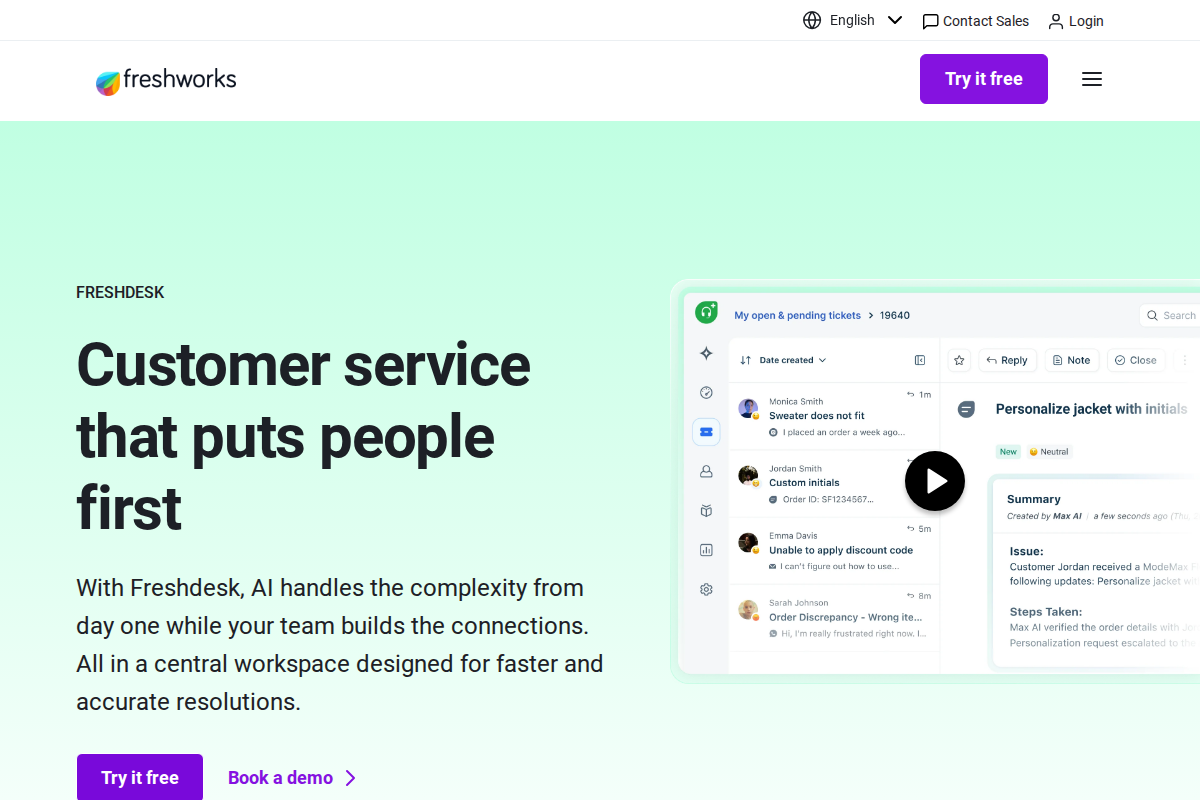
Freshdesk built its reputation as the "Zendesk alternative" — similar features, lower prices, modern UI. For many small and mid-sized businesses, it's the smarter choice.
What Freshdesk Actually Is
Freshdesk is a cloud-based helpdesk platform handling email, chat, phone, and self-service support. It's designed for teams of 3-100 agents who need professional helpdesk software without enterprise complexity or pricing.
The platform balances capability with simplicity. You get solid ticket management without the overwhelming configuration options of enterprise tools. See how it compares in our Zendesk vs Freshdesk comparison.
Pricing: What You'll Actually Pay
| Plan | Price Per Agent | Best For |
|---|---|---|
| Free | $0 | Teams of 3-10 needing basic helpdesk |
| Growth | $15/month | Teams needing automation and SLAs |
| Pro | $49/month | Larger teams with advanced needs |
| Enterprise | $79/month | Organizations needing enterprise features |
The free plan is usable — unlimited agents, real features, no time limit. Most competitors offer trials disguised as free plans.
The Growth plan is the sweet spot. At $15/agent, you get automation, SLA management, and custom fields — features Zendesk locks behind $55/agent plans. This pricing advantage compounds as your team grows, making Freshdesk particularly attractive for budget-conscious organizations.
What Works Well
The free plan actually works. Unlimited agents, email ticketing, knowledge base, and basic reporting at zero cost. Small teams can run on this for months before paying.
Setup is fast. Most teams are running in under an hour. The onboarding wizard guides you through essentials without overwhelming detail.
The interface is modern. Compared to Zendesk's dated UI, Freshdesk feels current. Team adoption is easier because the software looks and works like modern apps. New agents require minimal training to handle basic tickets, reducing onboarding time from days to hours.
The value pricing is real. Similar features to Zendesk at 30-40% lower cost. For budget-conscious teams, the savings matter. A 20-agent team saves approximately $8,000 annually by choosing Freshdesk Growth over Zendesk Growth. That's money better spent on other business priorities.
Ticket management covers most needs. Routing, assignment, automation, and reporting all work well. Unless you have complex enterprise workflows with multiple departments and advanced SLA chains, Freshdesk handles everything smoothly.
Multi-language support is strong. 40+ languages including Norwegian, Swedish, Danish — important for Nordic businesses. The interface translates completely, and you can create knowledge base articles in multiple languages to serve international customers without maintaining separate helpdesk instances.
Where It Falls Short
Advanced features lag behind Zendesk. Complex routing rules, deep customization, and enterprise reporting aren't as flexible. Check our detailed pricing breakdown to see which plan fits your needs.
The mobile app is adequate but not great. It works for basic tasks, but agents handling complex tickets will want desktop access.
AI features (Freddy) are basic compared to competitors. They're good for simple suggestions, not sophisticated automation.
The app ecosystem is smaller than Zendesk. It covers major integrations like Slack, Salesforce, and Shopify but lacks the depth of Zendesk's 1,000+ app marketplace. For most teams, the 300+ available integrations are sufficient.
Customer support is inconsistent. Free plan users get community support only. Paid plans get email support, but response times vary. Enterprise customers report better experiences with dedicated account managers, but mid-tier users sometimes feel stuck between self-service and premium support.
Feature Highlights
Ticket Management
Freshdesk organizes every customer interaction into structured tickets that agents can track and resolve. The system automatically assigns tickets based on workload, skills, or round-robin rotation so nothing sits unanswered. Priority routing lets urgent issues jump ahead while routine questions wait in standard workflows. Custom fields capture business-specific data like order numbers or customer tiers. SLA management ensures response time commitments are met, with automatic escalations when deadlines approach.
Key features include automatic ticket assignment, priority-based routing, custom ticket fields, SLA management on Growth plans and above, collision detection to prevent duplicate responses, canned responses for common questions, and ticket merging for duplicate issues.
Multi-Channel Support
Freshdesk handles email on all plans, live chat on Growth and above, phone on Pro and above, social media on Growth and above, and includes a web portal on all plans. This omnichannel approach means customers can reach you however they prefer, and all conversations flow into a single unified inbox.
Automation Capabilities
The platform includes ticket assignment rules that route incoming requests to the right team based on keywords, customer type, or issue category. Time-based automations trigger actions after a set period, like sending follow-up emails or escalating stale tickets. SLA reminders keep agents aware of approaching deadlines, and escalation workflows ensure overdue tickets get proper attention.
Self-Service Options
All plans include a knowledge base where you can build a library of help articles, FAQs, and troubleshooting guides. Pro plans and above add community forums where customers can ask questions and share solutions with each other. The customer portal gives users a place to track their tickets and find answers without contacting support. AI-powered article suggestions recommend relevant help content based on the customer's question.
Implementation and Setup
Getting started with Freshdesk takes about 30-60 minutes for basic configuration. You create an account, add your support email, install the chat widget on your website, and invite team members. The onboarding wizard walks through each step with clear instructions.
Email integration is straightforward. Forward your support email to Freshdesk, and tickets appear automatically. You can keep using your existing email address, customers never know anything changed. Setup takes about 5 minutes.
The chat widget requires adding a small JavaScript snippet to your website. If you use WordPress, Shopify, or other major platforms, plugins handle this automatically. Custom sites need a developer to paste the code, but it's a 2-minute job.
Importing existing data is possible but limited. Freshdesk offers migration tools for Zendesk, Help Scout, and a few others. You can bring over customer records and ticket history. However, formatting sometimes breaks, and you'll spend time cleaning up imported data.
Integrations and Ecosystem
Freshdesk connects with about 300 apps through native integrations and Zapier. The major ones work well: Slack notifications, Salesforce sync, Shopify order lookup, and Google Workspace single sign-on.
The Slack integration deserves mention. When tickets arrive, your team gets notified in Slack channels. Agents can respond directly from Slack without opening Freshdesk. This keeps support visible to the whole team and reduces context switching.
Shopify integration shows customer orders directly in the ticket sidebar. Agents see order history, shipping status, and payment details without leaving Freshdesk. For ecommerce, this saves 30-60 seconds per ticket, adding up to hours saved weekly.
Salesforce sync is bidirectional. Customer data flows between both platforms, so sales and support stay aligned. When a support ticket reveals an upsell opportunity, the account rep knows immediately.
However, the integration ecosystem has gaps. Niche tools often lack native connectors, forcing you to use Zapier or build custom API connections. This isn't a problem for common use cases but can frustrate teams with specialized tech stacks.
Real-World Use Cases
SaaS Startup (12 agents)
A B2B software company uses Freshdesk Growth for technical support. The automation rules route bugs to engineering, billing questions to finance, and general inquiries to the support team. The startup saves $400/month compared to Zendesk, money they put toward product development. The team especially likes the canned responses for common technical questions, cutting response times by 40%.
Online Retailer (8 agents)
An ecommerce store selling home goods handles 200+ tickets daily during peak season. Freshdesk's unlimited agent model means they add seasonal staff without extra costs. The Shopify integration lets agents process refunds and check inventory without switching tabs. During Black Friday, they handle 3x normal volume without upgrading plans.
Professional Services Firm (5 agents)
A consulting agency uses Freshdesk Pro for client communication. The custom fields track project IDs, contract values, and service tiers. SLAs ensure high-value clients get faster responses. The knowledge base deflects 30% of routine questions, freeing consultants to focus on billable work.
Nonprofit Organization (3 agents)
A small charity runs on Freshdesk's free plan. The limited budget makes paid helpdesk impossible, but they still need professional ticketing. Unlimited agents mean volunteers can jump in during busy periods without licensing headaches. The simple interface means non-technical staff contribute without training.
Who Should Use Freshdesk
Choose Freshdesk if you have 3-50 support agents, budget matters (it's 30-40% cheaper than Zendesk), you want quick setup without consultants, the free plan covers your current needs, you value modern UI over deep customization, and you don't need enterprise complexity.
Skip Freshdesk if you have 100+ agents (consider Zendesk), you need complex routing rules, deep customization is essential, you want the most advanced AI features, or budget is unlimited (Zendesk has more depth).
Alternatives to Consider
Zendesk is better for enterprise scale and complex workflows. It's more expensive but more powerful.
HubSpot Service Hub is better if you're using HubSpot CRM. It offers a unified customer view across sales, marketing, and support.
Tidio is better for chat-first, ecommerce-focused support. It offers flat pricing rather than per-agent fees.
Comparison with Zendesk
| Feature | Freshdesk | Zendesk | Winner |
|---|---|---|---|
| Free plan | Yes, unlimited | Limited | Freshdesk |
| Ease of setup | Fast | Slow | Freshdesk |
| Modern UI | Yes | Dated | Freshdesk |
| Pricing | Lower | Higher | Freshdesk |
| Customization | Good | Excellent | Zendesk |
| Enterprise scale | Limited | Excellent | Zendesk |
| App ecosystem | Good | Excellent | Zendesk |
| AI features | Basic | Advanced | Zendesk |
What Real Users Say About Freshdesk
Overall sentiment: Freshdesk averages 4.1/5 on G2 with an 89 Net Emotional Footprint score on SoftwareReviews. Users praise value at $19-$69/agent while criticizing support responsiveness and recent UX changes.
What users consistently praise:
PCMag and Research.com reviews highlight real-time analytics and CRM integration as standout features. Managers specifically cite live call monitoring and performance metrics for coaching. The Pro plan at $69/agent (annually) unlocks capabilities like custom fields and round-robin assignment that users compare favorably to Zendesk's higher pricing. Freddy AI's automated ticket summarization receives consistent praise for handling long conversation threads efficiently, saving agents from reading "novel-length" tickets.
Recurring complaints:
Trustpilot reviews (1-2 star ratings from December 2025) express frustration with customer service responsiveness and recent interface updates removing functionality like WhatsApp reply capabilities without warning. Reddit users in r/CRM and r/msp report steep learning curves and continuous "challenges" during implementation. Enterprise users note the $79-$119/agent Enterprise plan pricing creates sticker shock despite competitive positioning against Zendesk.
The non-obvious takeaway:
Trustpilot data reveals a correlation between negative reviews and recent pricing changes. Multiple users cite refund policy disputes and billing surprises, suggesting Freshdesk's transition from startup-friendly pricing to enterprise tiers created a cohort of disillusioned early adopters who feel abandoned as the platform matured and moved upmarket.
Sources: PCMag, Research.com, SoftwareReviews, Trustpilot, Reddit, G2. Data aggregated February 2026.
The Bottom Line
Freshdesk delivers 90% of Zendesk's functionality at 60% of the cost. For small and mid-sized businesses, that's the right trade-off.
The free plan is generous, setup is fast, and the modern UI drives team adoption. The platform handles multi-channel support, automation, and self-service without requiring a dedicated admin or weeks of configuration. Unless you need enterprise-scale customization or have complex routing requirements, Freshdesk is probably the smarter choice.
That said, know the limitations. Advanced reporting requires workarounds. The AI features are basic. Enterprise users may find the upper tiers expensive for what they offer. And the support quality varies significantly between plan levels.
For most SMBs, though, these are acceptable trade-offs. You get a functional, modern helpdesk that your team will actually use, at a price that doesn't require budget approval from the CFO.
Our recommendation: Start with the free plan. Test it for 2-4 weeks with your actual workflow. If it fits, upgrade to Growth when you need automation. Only consider Pro or Enterprise if you specifically need those advanced features. Most teams under 50 agents never need more than Growth. The free trial isn't a trap. It's a real, usable option for small teams that need professional helpdesk software without the cost.
Frequently Asked Questions
Is Freshdesk really free?
Yes. Unlimited agents, email ticketing, knowledge base, and basic reporting. Forever free, not a trial.
Can Freshdesk scale with my business?
To about 100 agents, yes. Beyond that, Zendesk's enterprise features become necessary.
How does Freshdesk compare to Zendesk?
Similar features, lower cost, easier setup, modern UI. Zendesk has more depth for complex needs.
What's the catch with the free plan?
No automation, limited integrations, community support only. But functional for basic needs.
Should I start with Freshdesk and upgrade later?
Yes. Start free, upgrade when you hit limits. Migration to Zendesk is possible if you outgrow it.
Does Freshdesk have good reporting?
Good, not great. Standard reports cover volume, response times, and satisfaction. Custom reporting exists but isn't as flexible as Zendesk's. Most small teams find it sufficient.
Can Freshdesk handle multiple brands?
Yes, on higher-tier plans. You can support multiple companies or product lines from one Freshdesk instance with separate branding for each.
Is Freshdesk good for ecommerce?
Moderately. Native integrations exist for Shopify and WooCommerce, but they're not as deep as Tidio or Gorgias. Fine for basic order lookups, not advanced product support.
How's Freshdesk's mobile app?
Solid. Agents can respond to tickets, update statuses, and access knowledge base articles. Not as polished as Zendesk's mobile experience but fully functional for remote work.
What happens if I outgrow Freshdesk?
Migration tools exist for moving to Zendesk, HubSpot, or other platforms. Your data exports cleanly. Most teams find the transition takes 2-4 weeks depending on complexity. Plan the migration during a slow period and expect some turbulence as agents learn the new system.
Can I use Freshdesk for IT support internally?
Yes, though it's designed for customer-facing support. IT teams use Freshdesk for internal helpdesk, tracking employee computer issues, password resets, and equipment requests. The free plan often covers small IT departments.
Does Freshdesk offer phone support?
Phone support is available on Pro plans and above. It requires configuring a phone number through Freshdesk or integrating with your existing phone system. The feature works well for teams that need voice support alongside chat and email.

Bob B.
Senior SaaS AnalystBob covers helpdesk tools, CRM platforms, and live chat software at AgentWhispers. He focuses on in-depth reviews, industry-specific recommendations, and feature analysis to help teams find the right support stack.