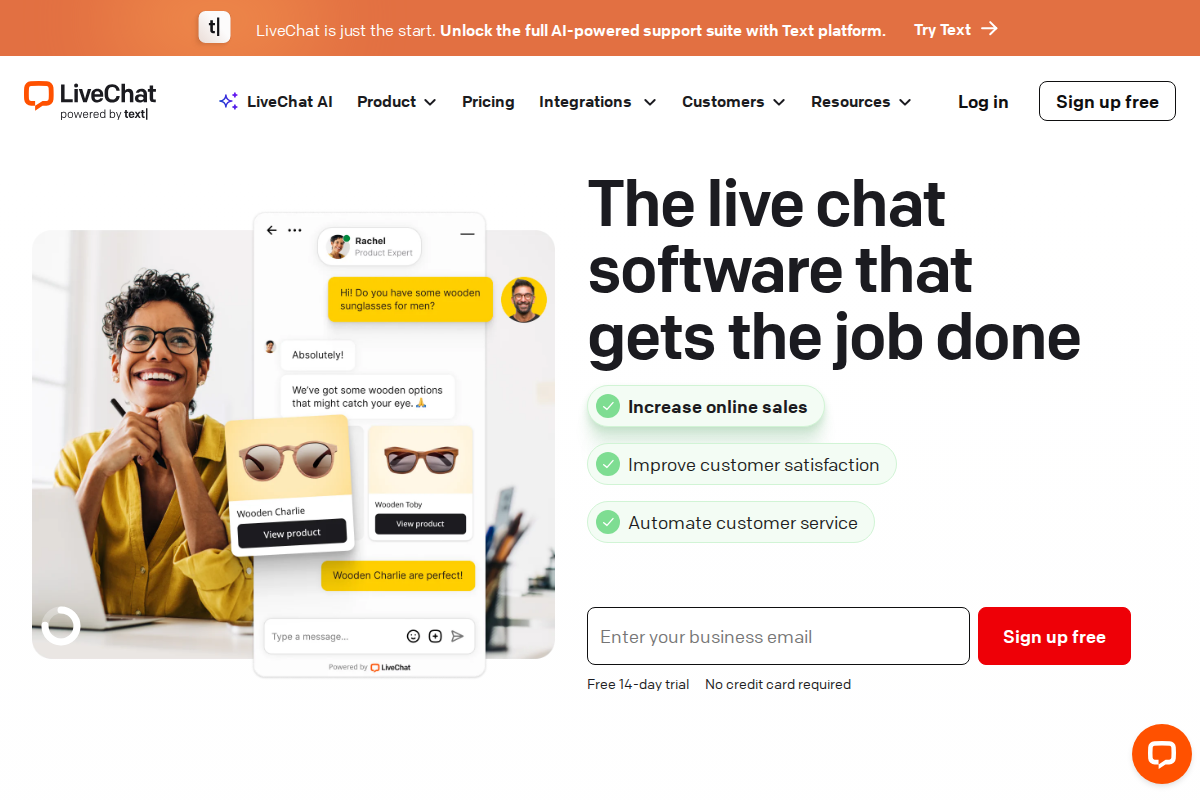
Most ecommerce support tools try to be everything. LiveChat does not. It is a chat-first platform built around one idea: turn website visitors into buyers by making it dead simple to start a conversation.
For ecommerce stores, this matters more than you might think. A visitor browsing your product page has a question about sizing. If they have to submit a ticket and wait 4 hours, they leave. If a chat widget pops up and an agent answers in 30 seconds, that is a sale. LiveChat is designed around that 30-second window.
But being chat-first also means LiveChat has gaps. No built-in ticketing system (you need their separate HelpDesk product for that). No free plan. Per-agent pricing that gets expensive fast. This guide breaks down where LiveChat delivers for ecommerce and where the cracks show.
If you are not sure LiveChat is the right starting point, our helpdesk recommendation quiz matches you with a tool based on your team size, budget, and channel requirements.
What Makes Ecommerce Support Different
Ecommerce support has patterns that generic helpdesk tools handle poorly. The volume is seasonal and spiky. Black Friday might bring 10x your normal ticket load for 72 hours, then drop back to baseline. Most inquiries are repetitive and low-complexity (order status, return windows, shipping estimates) but they need fast answers because every hour of delay increases the chance of a chargeback or negative review.
The other difference is that ecommerce support conversations are often pre-purchase. Someone comparing two products, unsure about compatibility, wondering if you ship to their country. These are not "support tickets" in the traditional sense. They are sales conversations happening in the support channel. A tool optimized for ticket management misses this entirely.
LiveChat was built for this second category. Its feature set assumes that many conversations are sales opportunities, not just problems to resolve.
How Ecommerce Teams Actually Use LiveChat
Rather than listing features in isolation, here is how the platform maps to real ecommerce workflows.
Cart Abandonment Recovery
The average ecommerce cart abandonment rate hovers around 70%. LiveChat's proactive chat triggers let you target visitors who have been on the checkout page for more than a set time with an automated greeting. Something like "Have a question about your order? We can help."
The key is that this is not a chatbot. It routes to a human agent who can see what is in the visitor's cart, what pages they browsed, and how long they have been on site. That context lets agents address the actual hesitation ("Does this come with a warranty?" "Can I return it if it doesn't fit?") instead of guessing.
Stores using proactive triggers on checkout pages typically report recovering somewhere between 10-25% of stalled carts, though this varies significantly based on product type and average order value. High-value items (electronics, furniture) see better results because the purchase anxiety is higher.
Real-Time Product Guidance
LiveChat's visitor monitoring shows browsing history in real-time: which products the visitor looked at, how long they spent on each page, and whether they came from a specific ad campaign. For agents, this eliminates the "How can I help you?" dead start.
An agent seeing that a visitor has been comparing two laptops for 8 minutes can open with something specific and useful. This is where LiveChat earns its keep for stores with complex or high-value product catalogs. It turns support agents into informed sales advisors without additional training.
For simpler stores (apparel, accessories), this feature matters less. If your products are straightforward and the main questions are about sizing or shipping, you do not need deep visitor analytics.
Order Status and Tracking
"Where is my order?" accounts for 30-40% of all ecommerce support tickets across the industry. LiveChat integrates with Shopify, WooCommerce, and BigCommerce to pull order data directly into the chat window. Agents type the order number and get tracking info, delivery estimates, and order contents without switching tabs.
This is table stakes in 2026: most competitors offer similar integrations. What LiveChat does well is combining this with canned responses and the chat sneak peek feature (agents see what visitors type before they hit send), which cuts the average handle time for order status questions to under 2 minutes.
For stores with high support volume, pairing LiveChat with ChatBot (same company, separate product) automates this entirely. The bot handles the order lookup; agents only see conversations that require human judgment.
Returns and Exchanges
Returns are process-heavy but predictable. Customer provides order number, reason for return, and sometimes a photo of the issue. LiveChat's file sharing handles the photo upload. The canned response library handles the templated parts of the conversation (return window policy, refund timeline, shipping label instructions).
What works less well: if your returns process involves multiple steps over several days (waiting for the item to arrive, then inspecting, then issuing refund), LiveChat's lack of built-in ticketing becomes a problem. You need either HelpDesk (separate product, separate subscription) or a different ticketing tool to track the multi-day workflow. The chat conversation itself is just the intake step.
Peak Season Scaling
Black Friday, holiday sales, flash promotions: ecommerce support volume is not steady. LiveChat handles this with queue management that shows visitors their wait position, automated greetings that set expectations, and the ability to quickly add temporary agents without complex onboarding.
The limitation is cost. Since LiveChat charges per agent, scaling from 5 to 15 agents for a 2-week holiday rush means tripling your monthly bill. Compare this to Tidio or Freshdesk, which offer flat-rate plans that do not penalize seasonal scaling. For our full comparison, see LiveChat vs Tidio.
Pricing Reality for Ecommerce Teams
LiveChat uses per-agent monthly pricing:
| Plan | Monthly | Annual | What You Get |
|---|---|---|---|
| Starter | $24/agent | $20/agent | Chat history (60 days), basic widget, ticketing |
| Team | $49/agent | $41/agent | Unlimited history, reporting, multiple brands |
| Business | $69/agent | $59/agent | Advanced reporting, staffing predictions, agent groups |
| Enterprise | Custom | Custom | HIPAA, dedicated account manager, training |
Most ecommerce teams land on the Team plan because Starter's 60-day chat history limit is a problem: you lose context on returning customers. Business adds features that only matter at 10+ agents.
Here is what this costs in practice:
A 3-person support team on Team (annual): $123/month ($1,476/year). A 5-person team: $205/month. A 10-person team scaling for the holidays: $410/month.
Compare this to alternatives: Tidio starts free and caps at $59/month flat for 3 operators. Freshdesk offers a free plan for up to 2 agents. Gorgias charges per ticket ($0.40 each on the Starter plan) rather than per agent, which can work out cheaper or more expensive depending on your volume.
For a side-by-side cost comparison for your exact team size, use our pricing calculator.
The hidden cost to watch: LiveChat alone does not include chatbot automation. That requires ChatBot ($52-$142/month on top). If you want both live chat and bot automation, budget for both products. This bundled cost is where LiveChat starts to feel expensive compared to all-in-one platforms like Intercom or Zendesk.
For a full pricing breakdown including hidden costs, see our LiveChat pricing analysis.
Where LiveChat Falls Short for Ecommerce
Three gaps matter for ecommerce teams:
No built-in ticketing. Chat conversations that cannot be resolved immediately have nowhere to go unless you add HelpDesk (separate product, separate subscription). For teams handling returns, warranty claims, or anything requiring follow-up over days, this is a real operational gap.
Per-agent pricing punishes seasonal scaling. Ecommerce is seasonal by nature. Paying per agent means your support costs spike exactly when your margins are already under pressure. Flat-rate alternatives handle this better.
Email support is an afterthought. LiveChat routes emails into its system, but the experience is optimized for real-time chat. If your support mix is 60% email and 40% chat, you will find the email handling clunky compared to dedicated tools like Help Scout or Freshdesk.
Setting Up LiveChat for an Ecommerce Store
Setup is fast: most teams have a working widget in under 30 minutes.
Start by installing the widget on your store. Shopify has a native LiveChat app in the app store. For WooCommerce, install the WordPress plugin. For custom stores, paste a JavaScript snippet before the closing body tag. All three methods work without developer help.
Next, configure proactive triggers. Create at least two: one for checkout pages (target visitors who have been idle for 60+ seconds) and one for high-value product pages. The default triggers that come with a new account are generic and not particularly useful for ecommerce.
Then build your canned response library. Start with your 10 most common questions: order status, return policy, shipping times, payment methods, size guides. Each canned response should be a starting point that agents personalize, not a copy-paste template. Customers notice when they get a robotic answer.
Finally, set up the Shopify or WooCommerce integration so agents can pull order data directly in the chat window. Without this, agents will be switching between tabs constantly, which kills response speed.
For a broader look at the setup process and all features, our full LiveChat review covers everything in detail.
Who Should Use LiveChat for Ecommerce
Good fit: Stores where chat is the primary support channel, average order value is $50+, and the team has 2-10 dedicated support agents. DTC brands selling complex or high-consideration products (electronics, furniture, fitness equipment) get the most value from the visitor monitoring and proactive trigger features.
Poor fit: Stores that need a full helpdesk (ticketing + chat + email + knowledge base) in one product. Stores with highly seasonal staffing where per-agent pricing creates cost spikes. Stores where email dominates the support mix.
Consider instead: Gorgias if you are Shopify-first and want deep native integration. Tidio if budget is tight and you need chat + chatbot in one product. Zendesk if you need enterprise-grade ticketing alongside chat. For a full comparison of ecommerce support tools, see our best helpdesk for ecommerce roundup.
If LiveChat's chat-first approach fits your store, you can start a 14-day free trial and test it with your actual customer conversations before committing.
Frequently Asked Questions
Is LiveChat worth it for a small ecommerce store with 1-2 agents?
At $20-24/agent per month, LiveChat is affordable for small teams but may be overkill if your chat volume is under 50 conversations per month. At that volume, the free tier of Tidio or the free Freshdesk plan covers your needs without the monthly cost. LiveChat starts making financial sense when chat volume is high enough that the conversion lift from proactive triggers and visitor monitoring pays for the subscription.
Can LiveChat handle support during Black Friday traffic spikes?
Yes, the platform handles high concurrent chat volume well. The operational challenge is staffing: since you pay per agent, adding temporary agents for a 2-week rush increases your bill proportionally. Plan your seasonal agent count in advance and budget for the Team plan ($41/agent annual) rather than getting surprised by the monthly rate.
Does LiveChat integrate with Shopify order management?
LiveChat has a native Shopify integration that pulls order details, tracking information, and customer purchase history directly into the chat window. Agents can look up orders without leaving the conversation. The integration requires the LiveChat Shopify app (free to install) and takes about 10 minutes to configure.
How does LiveChat compare to Gorgias for ecommerce?
Gorgias is built exclusively for ecommerce with deeper Shopify integration and per-ticket pricing. LiveChat is a broader chat platform that works well for ecommerce but also serves SaaS, real estate, and other industries. If you are 100% Shopify and want the tightest possible integration, Gorgias may be the better fit. If you want the best pure chat experience with strong visitor monitoring, LiveChat has the edge. See our best helpdesk for ecommerce for a detailed comparison.
What is the total cost of LiveChat plus ChatBot for an ecommerce team?
A 5-agent team on LiveChat Team (annual) plus ChatBot Starter: approximately $257/month. ChatBot starts at $52/month for 1,000 conversations. If your bot handles 40% of incoming chats, you free up agent capacity: but the combined cost approaches what Intercom or Zendesk charge for an all-in-one platform. Run the numbers for your specific volume using our pricing calculator.
Related Articles
Try LiveChat Free for 14 Days
Join 36,000+ companies using LiveChat for real-time customer support. No credit card required.
Start Free Trial →
Bob B.
Senior SaaS AnalystBob covers helpdesk tools, CRM platforms, and live chat software at AgentWhispers. He focuses on in-depth reviews, industry-specific recommendations, and feature analysis to help teams find the right support stack.