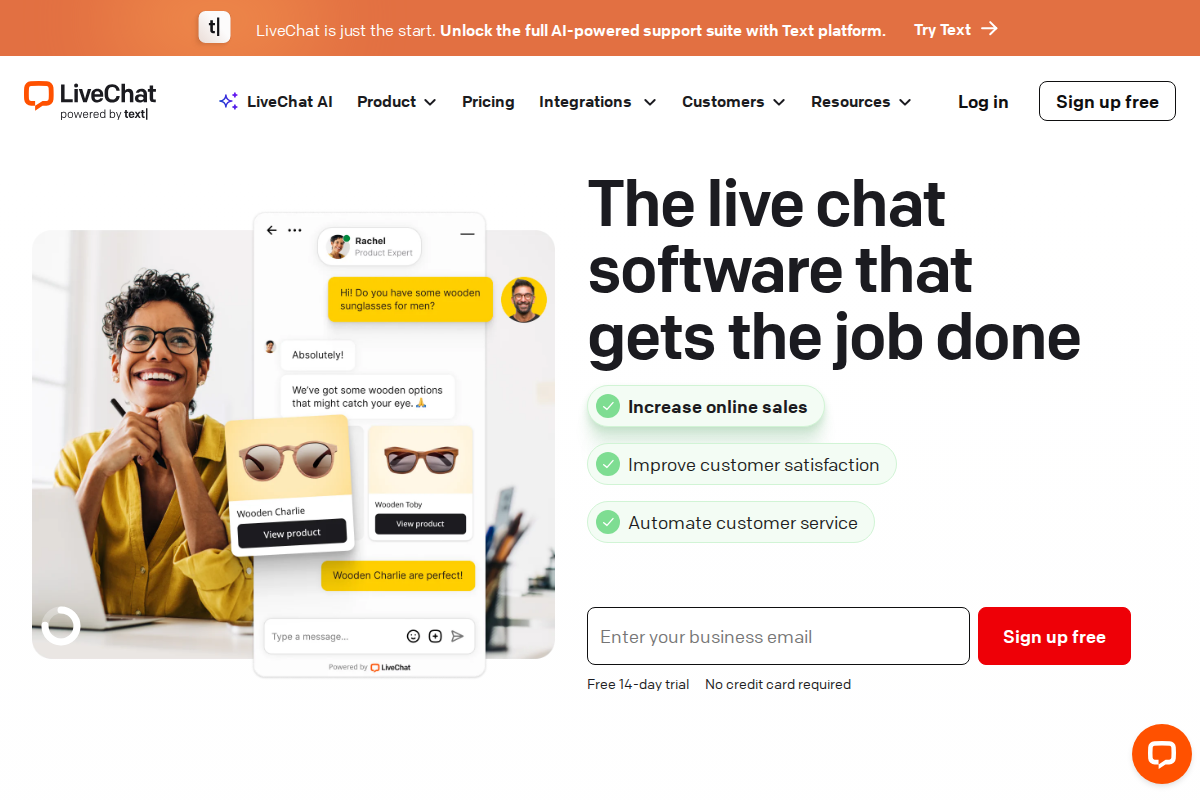
LiveChat and Zendesk serve different primary purposes. Try LiveChat for the best real-time chat experience. Zendesk created the modern helpdesk platform. They overlap in chat functionality but optimize for different use cases.
Understanding their different focuses helps you choose — or decide if you need both. Some teams use LiveChat for sales conversations and Zendesk for support tickets simultaneously.
Quick Verdict
| Use Case | Winner |
|---|---|
| Pure chat quality | LiveChat |
| Comprehensive support | Zendesk |
| Sales conversion | LiveChat |
| Ticket management | Zendesk |
| Chat + helpdesk together | Zendesk |
| Standalone chat | LiveChat |
| Enterprise scale | Zendesk |
| Ease of setup | LiveChat |
Bottom line: Pick LiveChat if chat is your primary support channel and quality matters most. Choose Zendesk if you need comprehensive helpdesk with chat as one channel among many. Many teams start with LiveChat for sales, then add Zendesk for support as they grow.
Pricing Compared
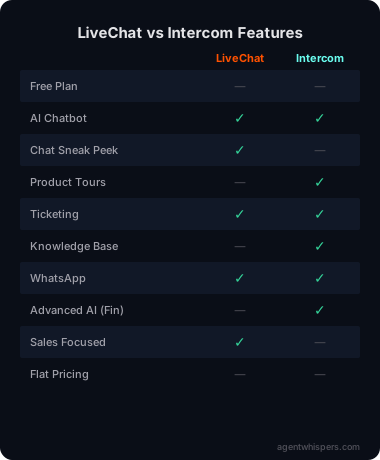
LiveChat costs less at higher tiers. But remember: LiveChat is chat-only. Zendesk includes email, social, phone, and tickets.
The per-agent pricing model affects each tool differently as your team grows. With LiveChat, adding a fifth agent increases your bill by exactly one seat — predictable and linear. Zendesk's per-agent pricing works the same way, but you're paying more per seat and getting more channels included. For a team of 10 on mid-tier plans, LiveChat costs roughly $410/month versus Zendesk's $550/month. That $140 monthly difference adds up to $1,680/year — enough to matter for budget-conscious teams, but not enough to be the deciding factor if you actually need Zendesk's multi-channel capabilities.
LiveChat Pricing Breakdown:
- Starter ($24/agent/month, $20 annual): 60-day chat history, basic widget customization, ticketing integration
- Team ($41/agent/month, $33 annual): Unlimited history, basic reporting, 5 connected websites
- Business ($59/agent/month, $50 annual): Full widget customization, staffing prediction, work scheduler
- Enterprise (custom): Dedicated account manager, security assistance, product training
Zendesk Pricing Breakdown:
- Suite Team ($55/agent/month): Unified agent workspace, standard bots, 100+ integrations
- Suite Growth ($89/agent/month): Custom business rules, self-service customer portal, light agents
- Suite Professional ($115/agent/month): Advanced AI, custom analytics, data center location
- Suite Enterprise ($169/agent/month): Sandbox, custom roles, advanced privacy and security
LiveChat's per-agent pricing remains predictable as you scale your team. Zendesk's suite pricing includes more channels but costs significantly more at higher tiers.
Chat Quality
LiveChat wins. This is LiveChat's specialty. The experience is:
- Faster message delivery
- Smoother typing indicators
- Better file sharing
- More reliable connection
- Sleeker interface
Zendesk's chat (acquired Zopim) is good but not as polished as native solutions. Visit LiveChat to see the difference quality makes.
Sales Features
LiveChat wins. Built-in features optimize for conversion:
- Chat sneak peek (see what customers type)
- Targeted messages based on behavior
- Product carousel for recommendations
- Sales tracking and reporting
Zendesk has some sales features, but LiveChat is purpose-built for sales-driven chat.
Ticket Management
Zendesk wins decisively. LiveChat has no native ticketing. You can integrate with helpdesk tools, but it's not built-in.
Zendesk offers comprehensive ticket management: routing, SLAs, custom fields, automation, reporting. This integrated approach eliminates separate tools.
If you handle email support, Zendesk is essential.
Multi-Channel Support
Zendesk wins. LiveChat is chat-only. Zendesk handles:
- Chat
- Phone
- Social media
- Web forms
- Self-service portal
For omnichannel support, Zendesk is the clear choice.
Setup Speed
LiveChat wins. You can have chat running in 30 minutes. The onboarding is fast, the interface clean and easy to navigate.
Zendesk setup takes longer. More configuration, more options, more complexity.
Enterprise Scale
Zendesk wins. Handles 1,000+ agents, complex routing, custom integrations, and enterprise security requirements.
LiveChat tops out at smaller scale. Great for teams under 50, but not built for massive operations.
Real-World Scenarios
Scenario 1: Ecommerce Store, Sales-Focused
Most "support" is pre-sales chat, optimizing for conversion.
Winner: LiveChat. Better chat quality, sales features, and lower cost for chat-only needs.
Scenario 2: B2B Company, Complex Support
Handling tickets, email, and some chat. Need SLAs and routing.
Winner: Zendesk. Comprehensive helpdesk features LiveChat lacks.
Scenario 3: Small Team (3 agents)
Budget-conscious, need chat + basic email.
Winner: LiveChat + Gmail. Use LiveChat for chat, Gmail for email. Cheaper than Zendesk.
Scenario 4: Growing Company (20 agents)
Scaling support across multiple channels.
Winner: Zendesk. The platform scales; LiveChat doesn't.
Using Both Together
Some companies use LiveChat for frontline chat, Zendesk for ticket management. LiveChat conversations become Zendesk tickets automatically.
This gives you LiveChat's chat quality + Zendesk's ticket power. But it's more expensive and complex than using one platform.
Customer Support Quality
When your support tool has a problem, you need help fast. Both companies offer support for their own products, but the experience differs.
LiveChat provides 24/7 chat and email support across all plans. Response times are typically under an hour for live chat inquiries. The help center documentation is well-organized with searchable articles, video tutorials, and a developer knowledge base for custom integrations.
Zendesk offers tiered support. Lower plans get email and help center access. Suite Professional and above get phone support and faster response times. A common complaint from Zendesk users is that the company's own support response times don't match the standards the software helps you set for your customers.
For small teams without dedicated IT staff, LiveChat's consistent support across all plans is the safer bet. You won't need to upgrade your plan just to get timely help when something breaks.
Reporting and Analytics
LiveChat offers solid reporting on the Team plan and above. You get agent response times, customer satisfaction scores, chat duration tracking, and queue wait times. The Business plan adds staffing predictions and custom dashboards — useful for managers who need to justify headcount or optimize shift scheduling.
Zendesk's reporting is broader but more complex. It covers tickets, calls, chats, emails, and self-service interactions in unified dashboards. The Explore analytics module lets you build custom reports across all channels. For support operations that span multiple channels, this cross-channel visibility is valuable.
The difference: LiveChat shows you how well your chat is performing. Zendesk shows you how your entire support operation is performing. If chat is your only channel, LiveChat's focused analytics are cleaner and faster to set up. If you manage email, phone, and chat, Zendesk's unified reporting saves you from juggling separate tools.
Migration and Switching
If you start with LiveChat and later need full helpdesk capabilities, adding Zendesk alongside it is straightforward. The integration creates Zendesk tickets from LiveChat conversations, preserving context.
If you start with Zendesk and decide you want better chat quality, you can add LiveChat as a standalone chat layer. Your Zendesk tickets remain intact. The main work is configuring the LiveChat widget to replace Zendesk's native chat on your website.
Moving entirely from one platform to the other takes more effort. Zendesk to LiveChat means losing your ticket history in the new system (though Zendesk exports data in CSV format). LiveChat to Zendesk is cleaner since Zendesk is the broader platform and has import tools designed for migration scenarios. Budget one to two weeks for a full platform switch including agent retraining.
The Verdict
Pick LiveChat if:
- Chat is your primary (or only) support channel
- Sales conversion is your top priority
- You have 1-10 agents
- Chat quality matters more than ticket management
- You don't need email support
Pick Zendesk if:
- You need multi-channel support (email, chat, phone)
- Ticket management is important
- You have 10+ agents
- You're planning to scale significantly
- You need enterprise features
Don't pick either if:
- You want chat + helpdesk at low cost (consider Tidio)
- You need free helpdesk software (consider Freshdesk)
- You're pure ecommerce (consider Gorgias)
- Zendesk review — Full Zendesk analysis
- Tidio vs Zendesk — Zendesk against budget alternative
- LiveChat alternatives — Other chat software options
Related Articles
- Zendesk vs Freshdesk — Feature comparison
- How to Choose Helpdesk Software — Selection framework
- Best Helpdesk for Small Business — Top picks
What Real Users Say About LiveChat
Overall sentiment: LiveChat holds a 4.5/5 rating on Capterra and 8/10 likeliness to recommend on SoftwareReviews, with users praising AI automation features while criticizing reliability issues and $24-$59/agent pricing.
What users consistently praise:
Capterra and SoftwareReviews users consistently highlight LiveChat's AI-powered features, specifically the AI copilot for drafting replies and AI triage for ticket routing. Ecommerce store owners on Reddit running 5+ agent teams report efficient workflows and faster customer engagement. The omnichannel support capabilities and chatbot automation receive specific praise for reducing response times across multiple platforms.
Recurring complaints:
Trustpilot reviews (2-3 star ratings) cite reliability problems, with users reporting inconsistent performance between browser and mobile interfaces. Multiple reviewers note the platform behaves differently across devices, creating workflow disruptions. Capterra users specifically criticize the outdated interface logic and limited customization options compared to newer competitors. Pricing starting at $24/agent/month draws complaints as teams scale, with costs escalating quickly in the $41-$59/agent range.
The non-obvious takeaway:
While pricing complaints appear frequently, a recurring pattern on Reddit reveals that teams switching from LiveChat to alternatives often cite not cost but "support response times" from LiveChat's own customer service as the breaking point — creating irony that a customer service tool struggles with its own customer service responsiveness.
Sources: Capterra, SoftwareReviews, Trustpilot, Reddit. Data aggregated February 2026.
What Real Users Say About Zendesk
Overall sentiment: Zendesk maintains a 4.2/5 rating on G2 but only 3.8/5 on Trustpilot, with enterprise users praising scalability while small teams criticize hidden costs and complexity starting at $19/agent/month.
What users consistently praise:
TechRadar and Hiver reviews emphasize multi-channel support capabilities and solid ticketing management as primary strengths. Enterprise users on Reddit (midsized software companies) specifically value the employee service portal for IT requests and incident management features. The automation tools and omnichannel integration receive consistent positive mentions across review platforms for handling complex support workflows at scale.
Recurring complaints:
Trustpilot reviews (December 2025) reveal frustration with Zendesk's own customer support responsiveness, creating irony given the platform's purpose. Multiple users cite "hidden costs" and complex setup as barriers, with pricing concerns particularly acute for teams under 10 agents. Reddit discussions in r/Zendesk highlight limitations as an ITSM tool, with users noting restricted views and poor CSV export functionality for technical support use cases.
The non-obvious takeaway:
A pattern emerging across Reddit and Trustpilot shows that Zendesk's enterprise-focused pricing (plans exceeding $100/agent with add-ons) creates a "mid-market gap" — growing companies between 15-50 agents frequently seek alternatives not for missing features, but because they're paying enterprise prices without receiving enterprise-grade support responsiveness from Zendesk itself.
Sources: TechRadar, Hiver, Trustpilot, Reddit, G2. Data aggregated February 2026.
Frequently Asked Questions
Is LiveChat better than Zendesk chat?
For pure chat quality, yes. But Zendesk offers much more than just chat.
Can I use LiveChat with Zendesk?
Yes. LiveChat integrates with Zendesk, creating tickets from chat conversations.
Is LiveChat worth it if I already have Zendesk?
Only if chat quality is critical and worth the extra cost. Most Zendesk users stick with Zendesk chat.
Which is better for small businesses?
LiveChat for chat-only, Zendesk if you need email/tickets too.
Can LiveChat replace Zendesk completely?
Only if you handle 100% chat support with no email or tickets.
Which has better mobile apps?
LiveChat's mobile app is optimized for chat-first support, with push notifications and quick replies. Zendesk's mobile app provides full ticket management capabilities. For pure chat, LiveChat wins. For full support management on mobile, Zendesk wins.
Try LiveChat Free for 14 Days
Join 36,000+ companies using LiveChat for real-time customer support. No credit card required.
Start Free Trial →
Erika A.
Pricing & Comparison SpecialistErika breaks down SaaS pricing tiers, hidden fees, and value-for-money across helpdesk and customer support tools at AgentWhispers. Her comparison frameworks help teams make informed purchasing decisions.