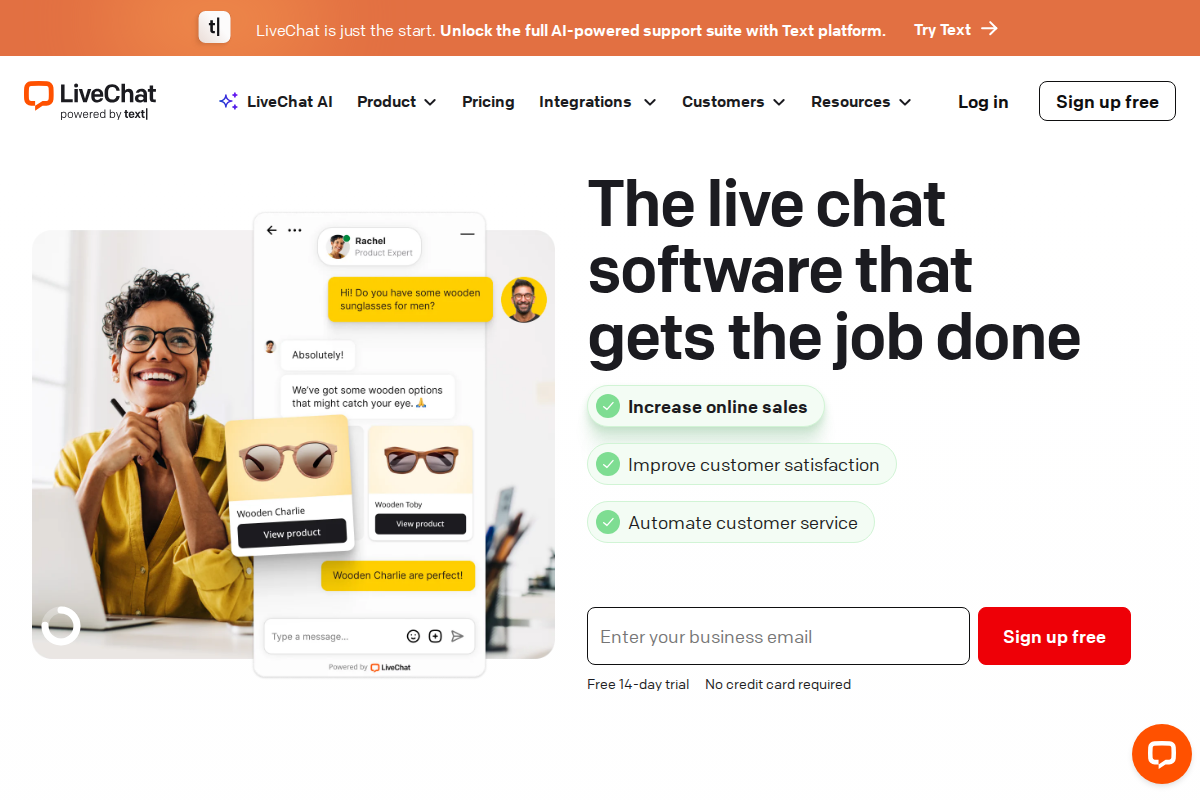
LiveChat has been a heavyweight in the live chat space since 2002, serving over 36,000 businesses worldwide. If you are evaluating their pricing for 2026, this guide breaks down exactly what you will pay and what you get at each tier.
LiveChat Pricing at a Glance
LiveChat uses per-agent pricing with four tiers:
| Plan | Monthly Billing | Annual Billing | Best For |
|---|---|---|---|
| Starter | $24/agent/month | $20/agent/month | Solo operators, small websites |
| Team | $49/agent/month | $41/agent/month | Growing support teams |
| Business | $69/agent/month (annual only) | $59/agent/month | Established businesses needing analytics |
| Enterprise | Custom | Custom | Large organizations with compliance needs |
Key insight: Annual billing saves you approximately 15-17% compared to monthly. The Business plan requires annual commitment—it is not available month-to-month.
Starter Plan: $20-24/agent/month
The entry-level tier is surprisingly capable for individual operators and micro-businesses.
What You Get
- 1 AI assistant (ChatBot integration)
- Website chat widget with customization
- Desktop and mobile apps (Windows, Mac, iOS, Android)
- Direct chat link for email signatures or social media
- Facebook Messenger integration
- 100 maximum concurrent visitors
- 60-day chat history
- Basic reporting
Who Should Choose Starter?
This plan works if you are a freelancer, consultant, or running a small ecommerce store with low traffic. The 100-visitor limit sounds restrictive, but for many small sites, that covers peak traffic periods comfortably.
The real limitation is the single AI assistant. If you want sophisticated chatbot automation beyond basic greetings, you will outgrow this quickly.
Hidden Costs to Consider
- ChatBot integration is included but limited
- No access to advanced analytics or custom reports
- Cannot remove LiveChat branding
Team Plan: $41-49/agent/month
This is LiveChat's most popular tier and represents the best balance of features for growing businesses.
What You Get (Everything in Starter, Plus)
- Unlimited agents (pay per seat, but no artificial caps)
- 400 maximum concurrent visitors
- Unlimited chat history
- Basic widget customization (CSS)
- File sharing in chat
- Visitor details (location, browser, referrer)
- Canned responses for faster replies
- Agent groups for routing
- Ticketing system integration
- Google Analytics integration
Standout Features
The jump from Starter to Team is significant. Unlimited chat history means you can reference conversations from years ago, which matters for B2B relationships. The 400-visitor cap accommodates moderate traffic spikes without forcing an upgrade.
Visitor details and canned responses dramatically improve agent efficiency. Agents see where visitors are located, what pages they have viewed, and can insert pre-written responses with shortcuts.
Who Should Choose Team?
Most small to medium businesses land here. If you have 2-10 support agents, moderate website traffic, and need basic collaboration tools, Team delivers what you need without the complexity of higher tiers.
Business Plan: $59-69/agent/month
The Business tier adds serious analytics and customization for data-driven support teams.
What You Get (Everything in Team, Plus)
- 1,000 maximum concurrent visitors
- Advanced reporting with custom dashboards
- Full widget customization (CSS + branding removal)
- Work scheduler for agent shifts
- Staffing prediction based on traffic patterns
- Multiple brandings (for agencies managing multiple clients)
- Priority support
Standout Features
The staffing prediction tool is useful. It analyzes your traffic patterns and suggests optimal agent schedules, helping you avoid overstaffing slow periods or leaving customers waiting during peaks.
Advanced reporting lets you build custom dashboards tracking metrics that matter to your specific business. If you report on support metrics to leadership, this feature justifies the upgrade alone.
Multiple brandings is a hidden gem for agencies. Manage different client chat widgets from a single dashboard while maintaining distinct branding for each.
Who Should Choose Business?
Established businesses with dedicated support managers, companies that report on support metrics regularly, and agencies managing chat for multiple clients. The 1,000-visitor cap handles significant traffic volumes.
Note: This plan requires annual billing if you want the $59 rate. Monthly billing jumps to $69.
Enterprise Plan: Custom Pricing
For organizations with complex compliance, security, and scalability requirements.
What You Get (Everything in Business, Plus)
- Custom concurrent visitor limits
- Dedicated account manager
- Custom data retention policies
- Single Sign-On (SSO)
- HIPAA compliance (available)
- Product training for your team
- Software engineer support for technical issues
- Security assistance
Who Needs Enterprise?
Large organizations in regulated industries (healthcare, finance), companies with 50+ agents, or businesses requiring custom SLA guarantees. Pricing varies based on your specific requirements and agent count.
LiveChat Add-Ons and Hidden Costs
Beyond the base pricing, factor in these potential costs:
ChatBot Integration
LiveChat's native ChatBot tool costs extra:
- Starter: $52/month (1,000 chats)
- Team: $142/month (5,000 chats)
- Business: $424/month (25,000 chats)
The ChatBot is powerful. AI-driven conversations that integrate with LiveChat, but it is not included in base pricing. The Starter plan includes limited ChatBot functionality; full capabilities require this add-on.
Knowledge Base
LiveChat's Knowledge Base product starts at $59/month for the HelpDesk integration. If you want self-service options alongside live chat, budget for this separately.
SMS Messaging
Sending SMS through LiveChat costs per message—rates vary by country but typically range $0.01-0.10 per message.
Annual vs Monthly Billing: The Real Math
| Plan | Monthly | Annual | Annual Savings |
|---|---|---|---|
| Starter | $24/agent | $20/agent | $48/year per agent |
| Team | $49/agent | $41/agent | $96/year per agent |
| Business | $69/agent | $59/agent | $120/year per agent |
For a 5-agent team on the Team plan, annual billing saves $480 per year. The discount is meaningful enough that annual billing is usually the right choice if you are committed to the platform.
Important: LiveChat offers a 14-day free trial on all plans. Test thoroughly before committing to annual billing.
How LiveChat Compares to Competitors
| Tool | Starting Price | Per-Agent Pricing | Free Plan |
|---|---|---|---|
| LiveChat | $20/agent/month | Yes | No |
| Tidio | $29/month (3 operators) | No | Yes |
| Zendesk | $19/agent/month | Yes | No |
| Intercom | $39/seat/month | Yes | No |
| Crisp | $25/month (unlimited) | No | Yes |
LiveChat sits in the middle of the pack price-wise. It is more expensive than Zendesk's entry tier but cheaper than Intercom. The per-agent model means costs scale predictably with team size.
Compared to unlimited-operator tools like Crisp, LiveChat becomes expensive for large teams. A 10-agent team costs $410/month on LiveChat Team (annual) versus $95/month on Crisp Business.
However, price alone doesn't tell the full story. LiveChat's chat quality — message delivery speed, typing indicators, file sharing reliability — is consistently rated above competitors in user reviews. The platform has had over two decades to refine the core chat experience, and it shows in day-to-day usage. Teams that tried switching to cheaper alternatives often report coming back because of noticeable quality differences in the chat widget itself.
Switching Costs and Lock-In
Before committing to annual billing, consider what happens if LiveChat doesn't work out. Chat history exports are available on Team plans and above in CSV format. Canned responses, routing rules, and widget customizations don't transfer to other platforms — you'll rebuild those from scratch.
The real switching cost isn't data migration. It's the customer-facing disruption: changing the chat widget on your site, retraining agents on a new interface, and temporarily losing conversation continuity. Most teams report a one to two week productivity dip when switching chat platforms.
If you're uncertain about long-term commitment, start with monthly billing on the Team plan despite the higher per-agent cost. The flexibility to cancel without penalty is worth the 16% premium until you've validated the platform with your actual workflow over 60-90 days.
For a direct comparison with Tidio, see our LiveChat vs Tidio analysis. If you are weighing LiveChat against the industry giant, our LiveChat vs Zendesk comparison breaks down the differences in detail.
Which Plan Should You Choose?
Choose Starter If:
- You are a solo operator or freelancer
- Your website gets under 100 concurrent visitors
- You need basic chat functionality without team features
- Budget is tight and you can upgrade later
Choose Team If:
- You have 2-10 support agents
- You need unlimited chat history
- 400 concurrent visitors covers your traffic
- You want canned responses and basic routing
Choose Business If:
- You manage support metrics and reporting
- You need staffing predictions and scheduling
- 1,000 concurrent visitors required
- You manage multiple brands or clients
Choose Enterprise If:
- You have 50+ agents
- You need HIPAA compliance or SSO
- You require custom data retention policies
- You want a dedicated account manager
Real-World Pricing Scenarios
Understanding list prices is one thing; knowing what actual teams pay helps more. Here are three realistic scenarios:
Scenario 1: Freelance Consultant
- 1 agent on Starter (annual): $20/month
- Total: $240/year
Scenario 2: Small Ecommerce Team
- 3 agents on Team (annual): $123/month
- ChatBot add-on: $52/month
- Total: $175/month or $2,100/year
Scenario 3: Growing SaaS Company
- 8 agents on Business (annual): $472/month
- ChatBot Team: $142/month
- Knowledge Base: $59/month
- Total: $673/month or $8,076/year
These examples show how add-ons change the math. The ChatBot integration alone can increase costs by 25-40% depending on your plan.
When LiveChat Makes Sense (and When It Doesn't)
LiveChat pricing works best for businesses that value reliability and established support over experimental features or rock-bottom pricing. The platform has been around for over two decades and has the stability to match.
The per-agent model is both LiveChat's strength and weakness. For teams of 1-10 agents, costs are predictable and reasonable. At 15+ agents, the math shifts. A 20-agent team on the Team plan pays $820/month — at that point, flat-rate alternatives like Tidio ($59/month regardless of team size) or Crisp ($95/month unlimited) become hard to ignore, even if their chat quality doesn't quite match LiveChat's.
Where LiveChat consistently justifies its premium is in sales-driven chat. If your chat widget directly contributes to revenue — ecommerce pre-sale conversations, SaaS demo booking, lead qualification — the cost per agent is easy to offset against closed deals. If your chat is purely reactive support, the ROI calculation is tighter.
If you need live chat as part of a broader helpdesk ecosystem, Zendesk's pricing might work better since it bundles chat with ticketing. For pure live chat at lower cost, Tidio and Crisp offer compelling alternatives.
Small businesses should also check our list of best helpdesk software for small businesses to see how LiveChat stacks up against alternatives designed specifically for smaller teams.
Final Verdict
LiveChat's pricing is straightforward but not cheap. The Team plan ($41/agent/month annual) hits the sweet spot for most growing businesses, offering the essential features without unnecessary complexity.
The main downside is the per-agent pricing model, which punishes larger teams compared to unlimited-operator competitors. If you have 20+ agents, the math may favor alternatives like Crisp or Tidio.
Our recommendation: Start with the 14-day free trial on the Team plan. Test the features with your actual traffic volume before committing to annual billing.
---
Frequently Asked Questions
Does LiveChat offer a free plan?
No, LiveChat does not offer a free tier. All plans require payment after the 14-day trial ends. The Starter plan at $20/agent/month (annual) is the most affordable entry point.
Can I switch plans mid-subscription?
Yes, you can upgrade or downgrade at any time. Upgrades take effect immediately; downgrades apply at your next billing cycle. LiveChat prorates charges when upgrading.
What happens if I exceed my visitor limit?
LiveChat does not cut you off immediately. They allow brief overages, but sustained traffic above your plan's limit will prompt an upgrade. Enterprise plans include custom limits negotiated in your contract.
Is there a discount for nonprofits or education?
LiveChat offers special pricing for qualified nonprofits and educational institutions. Contact their sales team with your 501(c)(3) documentation or educational credentials to inquire.
Can agents share login credentials to save money?
Technically possible but strongly discouraged. LiveChat tracks concurrent logins and may flag suspicious activity. Shared logins also break reporting accuracy and security audit trails.
Does LiveChat integrate with my existing helpdesk?
LiveChat integrates with most major helpdesk platforms including Zendesk, Freshdesk, HubSpot, and Salesforce. They also offer API access for custom integrations on Team plans and above.
How does LiveChat compare to HelpDesk's pricing?
LiveChat focuses purely on live chat while HelpDesk offers ticketing-focused support. If you need ticket management more than real-time chat, HelpDesk may offer better value.
What's the minimum setup cost for LiveChat?
Beyond the subscription, budget for 2-4 hours of setup time and potential widget customization. Most teams are operational within a day.
Can I use LiveChat on multiple websites?
Yes, all plans support multiple websites. The Starter plan allows multiple sites with the same widget branding; Business and above let you create distinct brandings for different sites.
Is the ChatBot add-on worth the cost?
For teams handling 200+ chats monthly with repetitive questions, the ChatBot typically pays for itself by deflecting simple inquiries. Below that volume, canned responses in the base plan are probably sufficient.
Try LiveChat Free for 14 Days
Join 36,000+ companies using LiveChat for real-time customer support. No credit card required.
Start Free Trial →
Erika A.
Pricing & Comparison SpecialistErika breaks down SaaS pricing tiers, hidden fees, and value-for-money across helpdesk and customer support tools at AgentWhispers. Her comparison frameworks help teams make informed purchasing decisions.