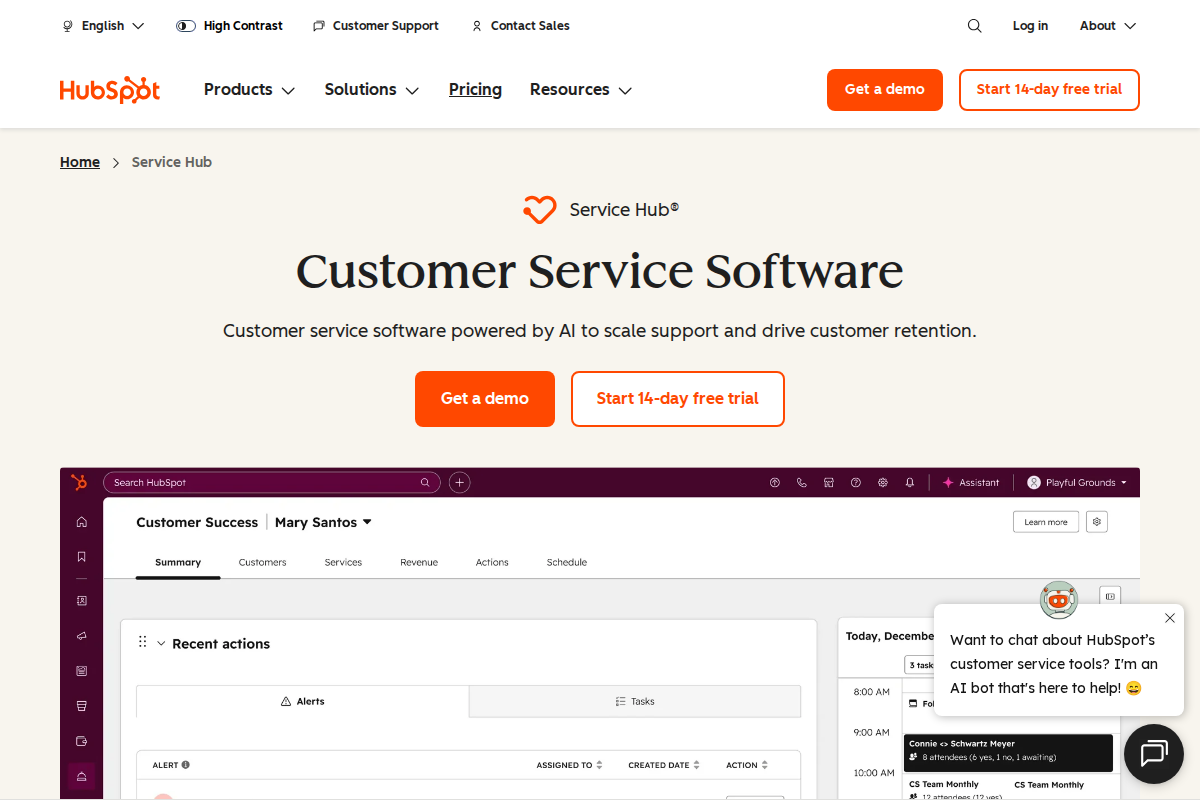
HubSpot Service Hub brings helpdesk functionality into the HubSpot ecosystem. It's not the most powerful ticketing system, but the CRM integration creates unique value for teams already using HubSpot.
This review examines when Service Hub shines, where it falls short, and whether the premium pricing is justified by the unified customer experience.
For pricing details, see our dedicated pricing breakdown.
What HubSpot Service Hub Actually Is
Service Hub is HubSpot's customer service platform, adding ticketing, live chat, and knowledge base to their CRM and marketing tools. It's designed for teams wanting unified customer data across sales, marketing, and support.
The core value proposition: support agents see full customer context. Deal history, marketing interactions, and sales notes appear in every ticket. This eliminates the "swivel chair" problem of switching between systems.
Unlike standalone helpdesks that treat every customer as a blank slate, Service Hub uses HubSpot's customer data to provide contextual support experiences.
Pricing: What You'll Actually Pay
| Plan | Price Per Agent | Best For |
|---|---|---|
| Free | \$0 | 1 agent, basic features |
| Starter | \$45/month | Small teams wanting CRM integration |
| Professional | \$90/month | Growing teams needing automation |
| Enterprise | \$120/month | Large organizations |
Key advantage: The free tier includes ticketing, live chat, and knowledge base. It is actually functional for small teams.
Pricing reality: More expensive than Zendesk (\$55/agent for comparable features) but cheaper than adding a separate helpdesk to your CRM stack.
Annual billing: 10% discount when paying yearly. Modest but meaningful at scale.
Hidden costs:
- Marketing Hub integration requires separate subscription
- Advanced reporting and custom objects need Professional+
- API limits may require Enterprise for heavy integrations
What's Actually Good
CRM integration is unmatched. When a customer emails support, agents see their entire HubSpot history: deals, emails, website activity, sales calls. That context changes everything.
Agents can see if a customer is a prospect, what products they own, their contract value, and recent interactions. All without leaving the ticket.
The free tier is generous. Ticketing, chat, knowledge base, and reporting for free. Most competitors lock these behind paid plans.
Unified customer timeline shows every interaction across teams. No more "let me check with sales." It's all visible in one chronological feed.
Knowledge base connects to marketing. Gate content based on customer status, track article influence on deals, measure content ROI.
Service analytics show support's impact on revenue. Connect ticket resolution to customer retention and expansion. Finally prove support's value.
Easy setup for HubSpot users. If you're already in HubSpot, adding Service Hub takes minutes, not days. No data migration needed.
Customer portal lets customers view their tickets, access knowledge base, and track request status. This reduces "what's the status?" inquiries.
What's Frustrating
Ticket management lags Zendesk. Routing, SLAs, and custom workflows aren't as sophisticated. Pure ticket operations favor Zendesk.
Paid tiers are expensive. \$45-90/agent is more than Zendesk (\$19-55) or Freshdesk (\$15-49). You're paying for integration, not ticket features.
Overkill if you're not using HubSpot CRM. The value comes from unified data. Without HubSpot CRM, Service Hub is just an expensive helpdesk.
Mobile app is adequate. Works for basic tasks but not as polished as Zendesk's mobile experience.
AI features (Content Assistant) are newer. Good but not as mature as Zendesk's or Intercom's AI capabilities.
Limited customization compared to enterprise helpdesks. You work within HubSpot's framework, which suits most but frustrates power users.
Feature Highlights
Ticketing
- Ticket creation and assignment
- SLA management (Starter+)
- Custom ticket properties (Professional+)
- Automation (Starter+)
- Customer portal
- Collision detection
- Ticket merging and linking
Live Chat
- Customizable chat widget
- Chatbots (Starter+)
- Meeting booking integration
- CRM context in chat
- Targeted messaging
Knowledge Base
- Customizable help center
- SEO optimization
- Content performance analytics
- Gated content (Professional+)
- Multi-language support (Enterprise)
CRM Integration
- Full customer timeline
- Deal history in tickets
- Marketing email context
- Sales activity visibility
- Company and contact properties
Reporting
- Ticket analytics
- Customer satisfaction (CSAT)
- Service impact on revenue
- Custom reports (Professional+)
- Dashboards
Automation
- Ticket routing rules
- Escalation workflows
- Notification triggers
- SLA enforcement
- Auto-responses
Detailed Platform Architecture
The CRM-First Design Philosophy
HubSpot Service Hub is architecturally different from standalone helpdesks. Instead of treating support as an isolated function, Service Hub embeds ticketing within the customer record:
Unified contact record: Every customer has one profile containing marketing interactions, sales activities, and support tickets. No data silos between teams.
Object relationships: Tickets link to contacts, companies, deals, and custom objects. A support ticket about a product issue automatically shows the customer's contract value, renewal date, and sales history.
Timeline view: Chronological feed of all customer touchpoints. Agents see the complete journey: website visits, email opens, sales calls, and previous support interactions.
Data inheritance: Custom fields and properties flow across objects. If sales marks a customer as "VIP," support sees that flag without separate configuration.
This architecture creates efficiency but also complexity. Organizations must invest time in proper object configuration and data hygiene to realize the benefits.
Integration with HubSpot Ecosystem
Service Hub's value multiplies when combined with other HubSpot products:
Marketing Hub integration: Support agents see which marketing emails customers received, which content they downloaded, and how they entered the funnel. Support conversations can be triggered by marketing activities.
Sales Hub integration: Tickets display active deals, pipeline stage, and sales rep assignments. Support agents can escalate product feedback directly to account executives for upsell conversations.
Operations Hub integration: Data quality automation ensures customer records stay clean. Programmable automation extends Service Hub's native workflow capabilities.
CMS Hub integration: Knowledge base articles can be hosted on HubSpot's CMS with advanced SEO, personalization, and content performance tracking.
The unified platform eliminates integration maintenance, but locks organizations into HubSpot's pricing and roadmap.
Technical Implementation Considerations
JavaScript tracking: Service Hub requires the HubSpot tracking code on your website for full functionality. This enables visitor identification and conversation attribution.
Email channel setup: Support emails route through HubSpot's servers. SPF, DKIM, and DMARC records must be configured for deliverability.
API and webhooks: REST API access available on Professional+. Rate limits vary by tier (100-250 requests per 10 seconds). Webhooks enable real-time notifications to external systems.
Data residency: US and EU data centers available. GDPR compliance documentation provided for EU customers.
Security features: SOC 2 Type II certified, SSO via SAML (Enterprise), two-factor authentication, role-based permissions, and IP restrictions.
Use Cases: When Service Hub Excels
B2B SaaS Companies
Support and sales alignment drives expansion revenue. Agents see upsell opportunities and churn risks in the same interface they use to solve problems. When a customer reports a feature gap, the agent sees their contract value and can route feedback to the account team for expansion discussions.
Ecommerce with Complex Sales
When support needs to know about orders, returns, and customer lifetime value, Service Hub provides that context automatically. Agents see purchase history, abandoned carts, and marketing campaign exposure without switching systems.
Account-Based Support
High-value customers get personalized service based on their account history and deal status. Service Level Agreements can be applied based on deal size or customer tier, ensuring VIP treatment for strategic accounts.
Marketing-Qualified Support
Support agents can identify and route leads back to sales, turning support into a revenue driver. When a free trial user asks about enterprise features, Service Hub flags them as a sales opportunity automatically.
Subscription Businesses
Service Hub tracks customer health scores, product usage, and engagement metrics. Support teams can intervene before churn happens, and success metrics tie directly to revenue retention.
Cross-Functional Collaboration
Organizations where support, sales, and marketing must collaborate closely benefit from shared visibility. No more "I'll check with sales"—the information is already visible.
Who Should Use HubSpot Service Hub
Choose Service Hub if:
- You're already using HubSpot CRM
- You want unified customer data across teams
- Sales and support alignment matters
- The free tier covers your current needs
- You value context over pure ticket power
- Budget allows for \$45+/agent
- You want to avoid integration complexity
Skip Service Hub if:
- You're not using HubSpot CRM (consider Zendesk or Freshdesk)
- Ticket management is your primary need
- Budget is tight (Freshdesk offers more for less)
- You need sophisticated routing and SLAs
- You want the best AI features (consider Zendesk)
- You're a standalone support team
Alternatives to Consider
Zendesk: Better pure ticket management. More comprehensive, less expensive for ticket-heavy teams. See our Zendesk vs HubSpot comparison.
Freshdesk: Better value for standalone support. Similar features at 50% of cost. Good middle ground.
Intercom: Better for proactive engagement. More modern but less comprehensive ticketing. See our Intercom vs HubSpot comparison.
Salesforce Service Cloud: Deeper CRM integration if you're on Salesforce. More expensive and complex.
What Real Users Say About HubSpot Service Hub
Overall sentiment: HubSpot Service Hub holds a 4.3/5 rating on G2 with 313 mentions praising ease of use, but faces criticism for pricing starting at \$90/agent/month and slow customer support response times.
What users consistently praise:
G2 reviews emphasize the platform's easy-to-use design with "exceptional" ease of use, making customer support workflows smoother. The all-in-one CRM integration connects marketing, sales, and service data. This receives consistent praise from teams wanting unified customer views. Lagrowthmachine notes the free CRM tier includes unlimited users, providing real value for startups testing the platform. Automation capabilities and comprehensive reporting tools satisfy teams needing sophisticated workflow management without technical complexity.
Recurring complaints:
Trustpilot reviews (January 2026) document significant customer service issues, with one user describing "unprofessional, disrespectful" support interactions when trying to resolve plan issues. Pricing escalates quickly. Tldv.io and Featurebase note the steep costs when scaling, with Marketing + Service Hub Professional reaching \$3,500-\$4,500/month compared to best-of-breed alternatives at \$900-\$1,400. The learning curve for beginners remains substantial despite the easy-to-navigate design.
The non-obvious takeaway:
Reddit r/hubspot discussions reveal a common pattern where companies adopt Service Hub for its CRM integration but later face "suite lock-in." The convenience of unified data makes migrating individual components (service, marketing, sales) prohibitively expensive and complex, effectively trapping growing companies in pricing tiers that outpace their budget.
Sources: G2, Lagrowthmachine, Trustpilot, Tldv.io, Featurebase, Reddit. Data aggregated February 2026.
Implementation and Setup
Timeline expectations:
- HubSpot CRM users adding Service Hub: 1-2 hours
- New to HubSpot: 2-3 days for CRM setup, then 1-2 hours for Service Hub
- Full workflow configuration: 1-2 weeks
Data migration: HubSpot provides free migration tools from Zendesk, Freshdesk, and CSV files. Most migrations complete in 3-7 days. The unified CRM makes contact import straightforward.
Training needs:
- Existing HubSpot users: 2-4 hours to learn ticket interface
- New HubSpot users: 1-2 days for platform basics, then support-specific training
- Admin configuration: 1 week to master automation and workflows
The Bottom Line
HubSpot Service Hub makes sense when you're already in the HubSpot ecosystem. The unified customer view drives alignment and efficiency that justifies the premium pricing.
Without HubSpot CRM, Service Hub is just an expensive helpdesk. With it, the integration creates unique value that's difficult to replicate with separate tools.
The decision framework: If you're evaluating Service Hub, first decide if you're committed to HubSpot CRM. If yes, Service Hub is the logical choice. If no, evaluate standalone helpdesks first.
Related Articles
- HubSpot Service Hub Pricing. Detailed cost analysis
- HubSpot vs Salesforce. CRM comparison
- Best Helpdesk for Small Business. Alternative options
- Zendesk Review. Pure helpdesk alternative
Frequently Asked Questions
Is Service Hub worth the price?
If you're using HubSpot CRM, yes. The unified view drives efficiency. Without CRM, no. Alternatives offer more for less.
Can Service Hub replace Zendesk?
For most teams, yes. Only enterprises with complex routing need Zendesk's sophistication.
Is the free plan really free?
Yes, for 1 agent with core features. Add more agents and you pay, but the free tier is actually functional.
How does Service Hub compare to Zendesk?
Less sophisticated ticketing, better CRM integration. Choose based on whether you prioritize tickets or context.
Should I get Service Hub or keep Zendesk?
If you're all-in on HubSpot, switch. If you're standalone support, stick with Zendesk or Freshdesk.
What's the setup time for Service Hub?
1-2 hours if you're already on HubSpot CRM. The integration is automatic. New HubSpot users need 1-2 days to learn the platform before adding Service Hub.
Does Service Hub have good chat functionality?
Yes, on paid plans. The live chat includes bots, meeting booking, and CRM context. Not as sophisticated as Intercom but fully functional for most teams.
Can I migrate from Zendesk to Service Hub?
Yes. HubSpot offers migration tools for tickets and contacts. Expect some formatting differences. Plan for 1-2 weeks of transition time.
What's the mobile experience like?
Adequate. Agents can respond to tickets and access customer data. Not as polished as Zendesk's mobile app but functional for on-the-go support.
Does Service Hub offer discounts?
HubSpot offers 10% off annual billing. Nonprofits receive additional discounts. Startups in certain accelerators may qualify for special pricing.
How does Service Hub handle data import?
Service Hub provides native migration tools from Zendesk, Freshdesk, and CSV files. Ticket history, contacts, and knowledge base content transfer with minimal data loss. Most migrations complete within 3-7 business days depending on data volume and complexity.
Can I use Service Hub without other HubSpot products?
Technically yes, but the value proposition diminishes significantly. Without CRM integration, Service Hub is an expensive helpdesk with limited ticket management capabilities. Organizations not using HubSpot CRM should evaluate standalone alternatives like Zendesk or Freshdesk.
What's the API availability?
REST API access requires Professional+ plans with rate limits of 100-250 requests per 10 seconds. The API covers tickets, contacts, conversations, and custom objects. Webhooks enable real-time notifications to external systems for workflow automation.
Does Service Hub support custom ticket properties?
Custom ticket properties are available on Professional+ plans, allowing organizations to track business-specific data like product categories, issue types, or customer segments. These properties can trigger automation rules and appear in reports.
How does Service Hub handle SLAs?
SLA management is available on Starter+ plans. Organizations can set response time targets based on ticket priority, customer tier, or custom properties. Breach notifications alert managers when SLAs are at risk or violated.
Is Service Hub suitable for international teams?
Service Hub supports multiple languages for the agent interface and customer-facing content. Time zone handling ensures SLA calculations respect local business hours. Multi-currency support aligns with HubSpot CRM's international capabilities.
What reporting capabilities does Service Hub include?
Standard reports cover ticket volume, resolution times, and agent performance. Professional+ adds custom report building, revenue attribution, and customer health scoring. Dashboards can be shared across teams or restricted by role.

Bob B.
Senior SaaS AnalystBob covers helpdesk tools, CRM platforms, and live chat software at AgentWhispers. He focuses on in-depth reviews, industry-specific recommendations, and feature analysis to help teams find the right support stack.