AI helpdesk software promises to automate routine responses, route tickets to the right agent, and even predict customer issues before they escalate. The reality is more nuanced. AI augments human agents but doesn't replace them, and the quality gap between vendors is wider than their marketing pages suggest.
We tested five platforms with meaningful AI capabilities to find which ones actually reduce support workload without sacrificing the human touch customers expect.
Quick Picks
| Tool | AI Strength | Starting Price | Best For |
|---|---|---|---|
| LiveChat | Agent AI assistant | $20/agent/mo | Teams wanting AI-assisted live chat |
| Tidio | Autonomous AI agent | $29/mo flat | Ecommerce and SMB support |
| ChatBot | Visual AI bot builder | $52/mo (Text) | Automating first-line interactions |
| Zendesk | Full-suite AI | $19/agent/mo | Enterprise support operations |
| HelpDesk | AI-powered ticketing | $29/agent/mo | Email-heavy support teams |
1. LiveChat: Best AI-Assisted Live Chat
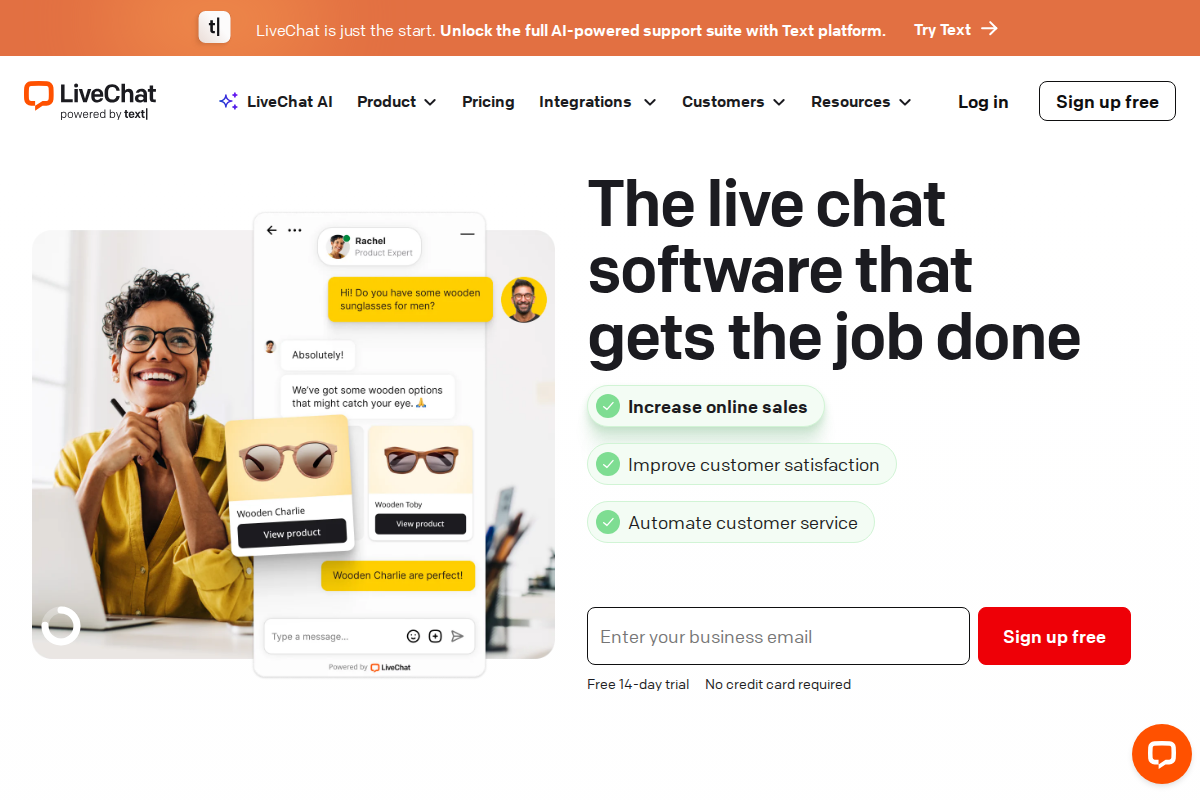
LiveChat has moved beyond basic chat software into a full AI-assisted support platform. The standout feature is Text Copilot, an AI assistant that sits alongside your agents during conversations and helps them respond faster without taking over entirely.
How the AI actually works:
Text Copilot reads the conversation context, pulls from your uploaded knowledge sources (websites, PDFs, help articles), and suggests relevant responses in real time. Agents review, edit, and send suggestions with a few clicks rather than typing from scratch. It also summarizes long conversation threads so agents picking up transferred chats don't need to re-read everything.
Beyond Copilot, LiveChat offers AI-powered text enhancement that adjusts message tone (formal, casual, or friendly), fixes grammar, and expands brief replies into complete answers. Tag suggestions automatically categorize conversations, and reply suggestions surface relevant canned responses based on what the customer is asking about.
What G2 and Capterra reviewers say:
LiveChat holds strong ratings across review platforms, with users consistently noting fast setup times and a clean agent interface. Support teams report that Copilot's knowledge source integration makes onboarding new agents significantly faster since the AI effectively acts as a training partner. The main criticism centers on pricing at higher tiers and the learning curve around configuring knowledge sources properly.
The catch: AI features like knowledge sources require at least the Team plan ($41/agent/month). The Starter plan at $20/agent gives you the chat platform but limits AI capabilities. Full Copilot access with expanded knowledge sources requires the Business plan at $59/agent.
Pick LiveChat if: You want AI that helps your human agents work faster rather than replacing them. The Copilot approach works well for teams where response quality matters more than full automation.
- LiveChat review - Full feature breakdown
- LiveChat pricing breakdown - Plan-by-plan comparison
2. Tidio: Best Autonomous AI Agent
Tidio takes a different approach from LiveChat. Instead of assisting human agents, Tidio's Lyro AI operates as an autonomous agent that handles entire conversations independently. It resolves up to 70% of common customer questions without human involvement, which makes it the strongest option for teams that need to scale support without hiring.
How Lyro actually works:
You feed Lyro your support content — FAQ pages, website URLs, help articles, or uploaded documents, and it uses natural language processing to understand and answer customer questions in context. Unlike rule-based chatbots that follow rigid decision trees, Lyro understands variations in how people phrase the same question and asks follow-up questions when it needs more information.
What separates Lyro from generic AI chatbots is its action capability. Lyro Actions connect to your business systems via API, so the bot can check order status in Shopify, share discount codes, process return requests, and hand off to a human agent when the conversation requires a personal touch. Tidio also offers a Lyro Copilot mode for agents who prefer AI-assisted responses rather than full automation.
What users actually experience:
Tidio earns praise on Capterra and G2 for fast setup. Most teams report going live in under 10 minutes. The Shopify integration gets particular attention from ecommerce merchants who appreciate that Lyro understands product questions and order inquiries out of the box. On the complaint side, Trustpilot reviews note that Tidio's add-on pricing can stack up quickly. The base $29/month Starter plan doesn't include Lyro, which starts at $39/month additional for 50 conversations. Branding removal costs another $20/month.
The catch: Lyro uses pay-per-conversation pricing at $0.50 per resolution beyond your plan limit. During busy periods (holiday sales, product launches), costs can spike unpredictably. Monitor your conversation volume closely.
Pick Tidio if: You run ecommerce or handle high volumes of repetitive questions. Lyro's Shopify integration and autonomous resolution rate make it the strongest pick for online stores that need 24/7 coverage without staffing a night shift.
- Tidio review - Detailed feature analysis
- Tidio pricing breakdown - Plan costs and add-ons
- LiveChat vs Tidio - Head-to-head comparison
3. ChatBot (Text Platform): Best Visual Bot Builder
ChatBot is part of the Text platform alongside LiveChat and HelpDesk. It focuses on giving non-technical teams the tools to build sophisticated AI-powered chatbots through a visual interface rather than code.
How the AI actually works:
ChatBot operates as a full AI agent that handles first-line customer interactions. You train it on your own content: website pages, uploaded PDFs, DOCX files, CSV data, or articles you write directly in the platform. The bot sends personalized welcome messages, creates support tickets, collects customer details mid-conversation, and hands off to a human agent when it hits its knowledge limits.
Recent changes are worth noting: ChatBot migrated to the Text platform in late 2025, which brought a new pricing model. The old conversation-based pricing ($52-$424/month) has been replaced with per-user pricing starting at $19/user/month, plus $0.99 per additional AI resolution beyond your plan's included amount. This makes costs more predictable for most teams, though high-volume operations should calculate carefully.
What makes it different from Tidio:
Where Tidio's Lyro is designed to resolve conversations end-to-end, ChatBot emphasizes the builder experience. You get a visual flow editor, customizable tone of voice (professional, friendly, casual), response length controls, and custom instructions up to 10,000 characters to define the bot's role and personality. ChatBot also integrates natively with LiveChat for smooth human handoff and with HelpDesk for automatic ticket creation.
The catch: ChatBot works best as part of the Text platform suite. If you already use LiveChat or HelpDesk, adding ChatBot is a natural fit. As a standalone product competing with Tidio or Intercom, the value proposition is less clear since those platforms bundle bot and live chat into a single subscription.
Pick ChatBot if: You already use LiveChat or HelpDesk and want to add a customizable AI bot layer. The visual builder and deep integration with the Text platform make it the strongest option for teams already in that product family.
- Best helpdesk chatbot tools - Chatbot comparison
- ChatBot for SaaS - SaaS-specific use cases
4. Zendesk: Best Enterprise AI Suite
Zendesk offers the widest AI feature set of any helpdesk platform, covering ticket routing, sentiment analysis, response suggestions, and automated resolution in a single package. For enterprise teams handling thousands of daily tickets, its breadth is unmatched.
How the AI actually works:
Zendesk's AI analyzes incoming tickets and auto-assigns them based on content, customer history, and agent availability. Sentiment analysis flags frustrated or urgent customers for priority handling. The Advanced AI add-on ($50/agent/month on top of your plan) adds intelligent triage that categorizes tickets by intent, language, and sentiment before an agent sees them. Automated resolutions handle routine questions at $1.50 per resolution, with 5-15 free resolutions per agent per month included.
What reviewers consistently report:
Zendesk maintains around 4.2/5 on G2, with enterprise users praising its ability to handle large agent teams and multi-channel capabilities. However, a recurring pattern across Trustpilot and Reddit threads reveals what some call a "mid-market gap": companies with 15-50 agents paying enterprise-level prices ($100+/agent with add-ons) without receiving enterprise-level support from Zendesk itself. Small teams consistently cite hidden costs and complex setup as barriers. The AI features that matter most — intelligent triage, automated resolutions — sit behind the Professional plan at $55/agent minimum, then require the Advanced AI add-on on top.
The catch: Full AI capabilities require Professional ($55/agent) plus Advanced AI ($50/agent), bringing the real cost to $105/agent/month. For a 10-person team, that's $12,600/year. Compare that to LiveChat Business at $59/agent or Tidio with Lyro at roughly $68/month total for a small team.
Pick Zendesk if: You have 50+ agents, need enterprise compliance features, and can justify the per-agent cost with ticket volume. For teams under 25, the alternatives above deliver comparable AI at a fraction of the price.
- Zendesk review - Full platform analysis
- Zendesk vs Freshdesk - Enterprise vs budget comparison
- LiveChat vs Zendesk - Feature-by-feature breakdown
5. HelpDesk: Best AI Ticketing System
HelpDesk focuses on email-based support with AI features designed to speed up ticket resolution rather than replace agents. It's part of the same Text platform as LiveChat and ChatBot, which means tight integration across the suite.
How the AI actually works:
HelpDesk's AI generates one-click ticket summaries that surface the subject, main issue, solution stage, and suggested next steps. Instead of reading through long email threads, agents get the key context immediately. The tone adjustment feature lets AI rewrite responses to match your brand voice — formal for enterprise clients, casual for consumer brands — which keeps messaging consistent across a team.
AI tag suggestions automatically categorize incoming tickets, language detection routes tickets to agents who speak the customer's language, and a "similar tickets" feature surfaces past cases with proven solutions. The automation engine handles routing, assignment, and escalation rules without requiring custom code.
Where it fits in the market:
At $29/agent/month, HelpDesk targets teams that find Zendesk's pricing excessive but need more structure than a shared inbox. Users on G2 and ProProfs reviews note the platform's simplicity as both strength and limitation. Setup takes minutes, but teams needing advanced reporting or multi-channel support beyond email will outgrow it.
The catch: HelpDesk is primarily an email ticketing tool. It lacks native live chat (you'd add LiveChat for that) and doesn't offer an AI chatbot (that's ChatBot's role). If your support volume comes through chat, social, or phone, HelpDesk alone won't cover it. But combined with LiveChat and ChatBot, the Text platform covers the full support stack.
Pick HelpDesk if: Your support volume is email-heavy and you want AI-powered triage without enterprise complexity or pricing. Especially strong as part of the Text platform alongside LiveChat and ChatBot.
- HelpDesk for SaaS - SaaS ticketing workflows
- Best helpdesk for ecommerce - Ecommerce-focused picks
AI Feature Comparison
| Feature | LiveChat | Tidio | ChatBot | Zendesk | HelpDesk |
|---|---|---|---|---|---|
| AI chatbot | Via ChatBot | ✅ Lyro | ✅ Built-in | ✅ Advanced bots | ❌ |
| Agent AI assistant | ✅ Copilot | ✅ Lyro Copilot | ❌ | ✅ | ✅ Summaries |
| Ticket routing | ❌ | ❌ | ❌ | ✅ AI-powered | ✅ Rules + AI |
| Sentiment analysis | ❌ | ❌ | ❌ | ✅ | ❌ |
| Response suggestions | ✅ | ✅ | ✅ | ✅ | ❌ |
| Tone adjustment | ✅ | ✅ | ✅ | ❌ | ✅ |
| Knowledge base training | ✅ | ✅ | ✅ | ✅ | ❌ |
| Autonomous resolution | Via ChatBot | ✅ Up to 70% | ✅ | ✅ $1.50/res | ❌ |
| Ecommerce integrations | Shopify | Shopify, Woo | Via API | Marketplace | ❌ |
Which One Should You Actually Pick?
The five tools above serve different support models. Here's how to decide:
You want AI helping your agents, not replacing them: LiveChat. Text Copilot keeps humans in the loop while making them faster. Pair it with ChatBot for after-hours automation.
You need maximum ticket deflection at minimum cost: Tidio. Lyro's 70% autonomous resolution rate and flat pricing beat per-agent models for small teams handling repetitive questions.
You're building a full support stack from scratch: The Text platform (LiveChat + ChatBot + HelpDesk). Three products, one platform, shared knowledge sources.
You're enterprise with 50+ agents: Zendesk. The AI cost is high per-agent, but at scale it's the most complete solution.
Your support is 90% email: HelpDesk. Simple, affordable, and AI-powered where it counts: ticket summaries and smart routing.
AI reduces ticket volume by 20-50% for routine questions across all five platforms. But the gains only materialize when you feed the AI quality training data and set clear handoff rules for when humans should take over. No AI helpdesk works out of the box without configuration.
- AI in customer support guide - What's real vs hype in support AI
- How to choose helpdesk software - Selection framework
- Best helpdesk for small business - Top picks for small teams
Frequently Asked Questions
Can AI replace my support team?
No. AI handles 30-50% of routine questions but struggles with complex issues, emotional conversations, and anything requiring judgment calls. Use AI to handle the predictable volume so your team can focus on problems that need a human.
Which AI helpdesk is cheapest for small teams?
Tidio. The Starter plan at $29/month plus Lyro at $39/month gives a 2-3 person team AI-powered live chat and autonomous resolution for under $70/month total. Compare that to Zendesk at $55-105 per agent per month.
Does AI really reduce ticket volume?
Yes, but the range is wide. Teams with well-organized knowledge bases see 40-70% reduction in routine inquiries. Teams that activate AI without proper training data see 10-20% at best. The AI is only as good as what you feed it.
How long does setup take?
Tidio and LiveChat: under 30 minutes for basic setup, 2-3 hours to configure knowledge sources properly. ChatBot: 1-2 hours for a working bot with custom flows. HelpDesk: under an hour for email ticketing. Zendesk: days to weeks depending on team size and integration requirements.
Can these tools work together?
LiveChat, ChatBot, and HelpDesk are all part of the Text platform and integrate natively. Tidio is a standalone platform. Zendesk has a large marketplace of third-party integrations. You can use Tidio's Lyro alongside external helpdesks through its integration options.
Try LiveChat Free for 14 Days
Join 36,000+ companies using LiveChat for real-time customer support. No credit card required.
Start Free Trial →
Bob B.
Senior SaaS AnalystBob covers helpdesk tools, CRM platforms, and live chat software at AgentWhispers. He focuses on in-depth reviews, industry-specific recommendations, and feature analysis to help teams find the right support stack.