SaaS support teams deal with a specific kind of pressure that generic helpdesk tools often miss. Your users expect fast replies because they are paying monthly. A slow response does not just frustrate them, it gives them a reason to cancel. Churn is the enemy, and your helpdesk is the front line.
HelpDesk, built by the same team behind LiveChat and ChatBot, is a ticketing system that leans hard into simplicity. No bloated feature lists, no six-month onboarding. The question is whether that simplicity works for SaaS teams or leaves too many gaps.
If you are not sure whether HelpDesk fits your team, take our helpdesk recommendation quiz to get a personalized suggestion based on your size, budget, and workflow.
Why SaaS Teams Need Purpose-Built Support Tools
SaaS support is different from retail support or general customer service. The challenges are specific:
Your users are technical enough to know when you are stalling. They expect answers about API behavior, integration conflicts, and account-level bugs, not just "have you tried turning it off and on again." Feature requests pile up alongside bug reports, and your support team needs to route those to engineering without losing context.
Churn math makes every interaction high-stakes. A $50/month customer who churns after a bad support experience costs you $600/year in lost revenue. Multiply that across a hundred frustrated users and you have a real problem. SaaS teams need tools that help them respond fast, track patterns, and close the feedback loop with product.
Self-service matters more in SaaS than in most other industries. Your users are already comfortable with documentation and knowledge bases. A well-built self-service portal can deflect 30-50% of incoming tickets, freeing your agents to handle the complex issues that actually require human judgment. For a broader look at how different tools handle these challenges, our best helpdesk software roundup covers the full range of options.
Key HelpDesk Features for SaaS Teams
Here is what HelpDesk actually offers and how each feature maps to the daily reality of running SaaS support.
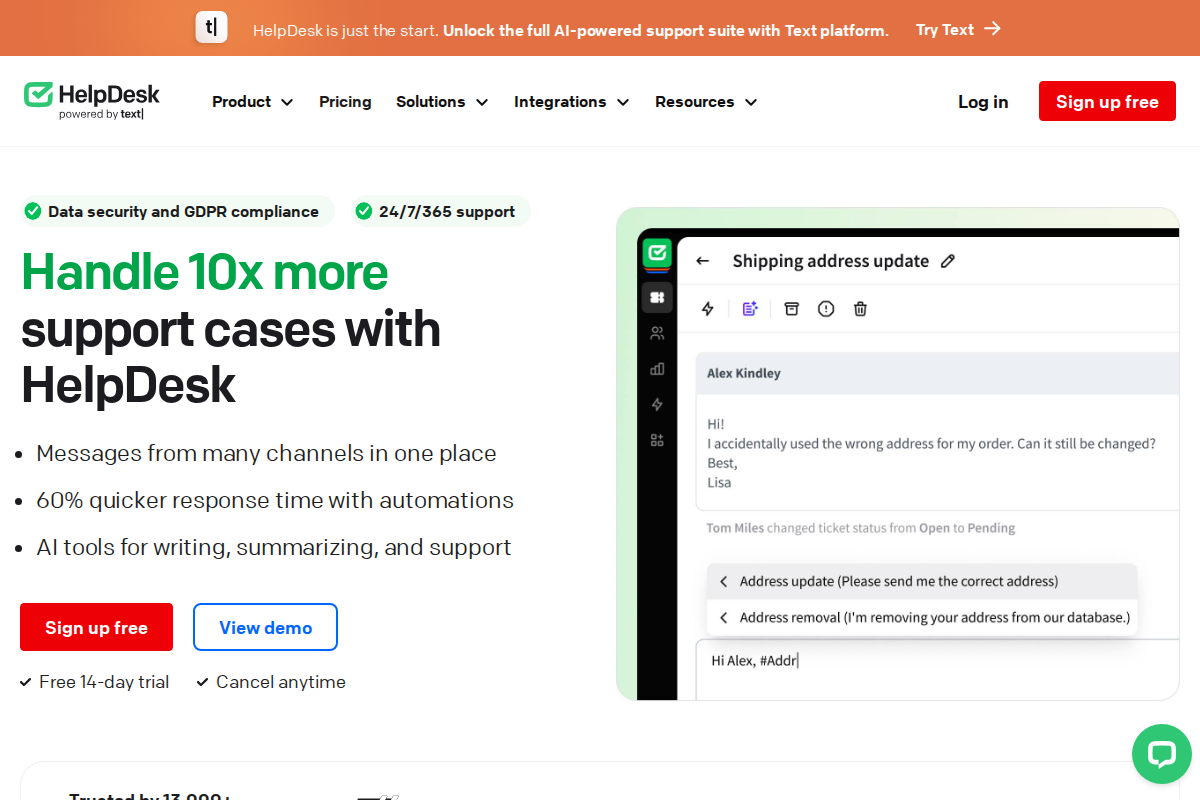
Shared Inbox and Ticket Management. Every email sent to your support address becomes a ticket in HelpDesk. Agents see a unified queue with statuses, priorities, and assignments. For SaaS teams handling mixed support and sales inquiries, this prevents the "who is handling this?" problem that plagues shared Gmail inboxes. Tickets can be tagged by product area, urgency, or customer tier, which matters when your enterprise clients need faster response times than free-tier users.
Automation Rules. HelpDesk lets you build if-then rules for ticket routing. A SaaS team might route all tickets mentioning "API" or "integration" directly to a technical support tier, while billing questions go to customer success. You can also set up auto-responses for common questions, SLA reminders when tickets age past your target response time, and escalation rules when priority tickets go unanswered. These rules are simple compared to what Zendesk or Intercom offer, but they cover the 80% of automation that most small SaaS teams actually need.
AI-Powered Ticket Handling. HelpDesk has added several AI features that are particularly useful for SaaS support. Ticket summaries generate a brief overview of long conversation threads, so an agent picking up a transferred ticket does not need to read through twenty messages. Text enhancement can adjust the tone of a reply, making a technical explanation more accessible for non-technical users. Language detection automatically identifies the customer's language and can route tickets to the right agent or team. These are not revolutionary features, but they save real time on high-volume queues.
Team Collaboration. Support agents can add private notes to tickets that are invisible to the customer. This is essential when a SaaS support agent needs to loop in a developer for context on a bug report without exposing internal discussion to the user. Agent groups let you organize teams by function, whether that is billing, technical support, or onboarding. For smaller SaaS teams where everyone handles everything, the collision detection feature prevents two agents from replying to the same ticket simultaneously.
Reporting and Analytics. HelpDesk tracks first response time, resolution time, ticket volume by category, and customer satisfaction scores. For SaaS teams, the most valuable report is often ticket volume by tag over time. If "billing" tickets spike after a pricing change, or "integration" tickets climb after a new release, you can catch these patterns early. The reporting is less granular than what you get from Freshdesk or Zoho Desk, but it covers the core metrics that SaaS support managers care about.
LiveChat Integration. Because HelpDesk is part of the same product family as LiveChat, the two tools connect natively. Chat conversations that need follow-up become tickets automatically. For SaaS teams running both live chat and email support, this removes the manual step of copying chat transcripts into your ticketing system. The integration is one-click, not a third-party connector, which means fewer sync issues.
Knowledge Base. HelpDesk includes a built-in knowledge base where you can publish help articles, FAQs, and how-to guides. For SaaS teams, this is the foundation of ticket deflection. A well-maintained knowledge base paired with automated suggestions can handle a significant portion of repetitive questions about account setup, billing, and common configuration issues.
HelpDesk Pricing for SaaS Teams
HelpDesk offers two standard plans plus an enterprise option:
The Team plan costs $29 per agent per month (billed annually). It includes the shared inbox, automation rules, team collaboration features, and basic reporting. For a SaaS startup with 2-5 support agents, this is the entry point.
The Business plan costs $50 per agent per month (billed annually). It adds advanced reporting, audit trails, and enhanced security features. SaaS companies handling sensitive customer data or working toward SOC 2 compliance will likely need this tier.
The Enterprise plan has custom pricing and includes a dedicated account manager, migration support, and SLA guarantees.
There is no free plan, but HelpDesk offers a 14-day free trial with access to all Business plan features. Annual billing saves 15% compared to monthly. For a team of 5 agents on the Team plan, expect to pay around $145/month (annual) or roughly $170/month (monthly billing).
To see how this compares across tools, use our interactive pricing calculator to model costs for your specific team size. You can also read our HelpDesk pricing breakdown for a detailed tier-by-tier comparison.
Pros and Cons for SaaS Teams
Where HelpDesk delivers:
The interface is clean and fast. Multiple reviewers on G2 and Capterra mention that HelpDesk loads quickly and that ticket management feels lighter than competitors like Zendesk. For SaaS support agents handling 50+ tickets per day, interface speed compounds into real time savings.
Setup is fast. You can connect your support email, configure basic routing rules, and start handling tickets within an hour. SaaS teams that do not have a dedicated IT person for tool configuration will appreciate this.
The LiveChat and ChatBot integration is native and tight. If you are already using LiveChat for real-time chat or ChatBot for automation, HelpDesk slots into your stack without friction. Chat-to-ticket conversion is automatic.
Where HelpDesk falls short:
The integration ecosystem is smaller than competitors. HelpDesk connects with Jira, Salesforce, Shopify, and HubSpot, but the total number of native integrations is limited compared to Freshdesk or Zendesk. SaaS teams with complex tool stacks may hit walls.
There is no built-in live chat. You need LiveChat as a separate product for real-time messaging. While the integration works well, it means two subscriptions instead of one. Compare this to Freshdesk, which bundles Freshchat, or Intercom, which is chat-first.
Automation depth is limited. If your SaaS team needs multi-step workflows, conditional branching, or trigger-based sequences beyond basic if-then rules, HelpDesk will feel restrictive. Larger SaaS operations outgrow it.
Setting Up HelpDesk for a SaaS Team
Getting started takes about an hour for basic configuration. Here is the practical sequence:
Connect your support email address first. HelpDesk converts incoming emails into tickets automatically. If you use a shared inbox like support@yourproduct.com, this is straightforward. You can connect multiple email addresses if you have separate channels for billing, technical support, and general inquiries.
Set up agent groups and routing rules. Create groups that match your team's actual structure. Most SaaS teams start with two or three groups: general support, technical issues, and billing. Build automation rules to route tickets based on keywords or sender domain. Enterprise client emails can be auto-tagged and prioritized.
Build your knowledge base with the ten most common questions. Check your email history for the topics that come up repeatedly. Account setup, password resets, billing changes, and basic feature explanations typically cover 60-70% of incoming volume. Each article you publish is one fewer ticket your team handles manually.
Configure your SLA targets. Set first response time and resolution time goals based on your customer tiers. HelpDesk will flag tickets approaching their SLA deadline, which helps agents prioritize. For SaaS teams, a common starting point is 4-hour first response for paying customers and 24-hour for free-tier users.
If your team also handles live chat, connect LiveChat during setup. The integration takes under five minutes and ensures chat conversations that need follow-up automatically create tickets in HelpDesk.
Tips for Getting More Value from HelpDesk
Tag every ticket consistently. The reporting is only as good as your data. Establish a tagging taxonomy from day one: product area, issue type, customer tier. After a month of consistent tagging, you will have data that shows exactly where your product and support are falling short.
Use canned responses aggressively but personalize them. Write templates for your top 15-20 most common responses. HelpDesk's canned responses save time, but always edit them to include the customer's name and specific context. A canned response that feels personalized is effective. One that feels robotic damages trust.
Review ticket trends weekly, not monthly. SaaS products change fast. A weekly 15-minute review of ticket volume by tag catches emerging issues before they become fires. If "integration" tickets double after a release, that is a signal to your engineering team within days, not weeks.
Set up the knowledge base feedback loop. When agents resolve a ticket that a knowledge base article should have covered, update the article or create a new one immediately. This compounds over time. Teams that do this consistently see ticket volume drop by 20-30% within a few months.
Pair HelpDesk with ChatBot for frontline deflection. Using ChatBot on your website to handle initial questions before they become tickets reduces agent workload significantly. The bot can answer FAQs, collect issue details, and only escalate to a HelpDesk ticket when it cannot resolve the query. For more on this approach, see our guide on how to set up live chat for your support workflow.
When to Choose HelpDesk (and When to Skip It)
HelpDesk is a strong fit if your SaaS team has 2-20 support agents, values fast setup over deep customization, and wants native integration with LiveChat and ChatBot. It works well for SaaS startups and early-stage companies where the support team is small, budgets are tight, and the priority is getting a working ticketing system in place quickly.
Skip HelpDesk if your SaaS company has outgrown simple ticketing. Teams with 30+ agents, complex multi-department workflows, or requirements for deep analytics will find HelpDesk too limited. If you need built-in live chat without a second subscription, look at Freshdesk or Intercom. If you need enterprise-grade reporting and routing, Zendesk is the safer bet. You can compare these directly in our HelpDesk vs Zendesk breakdown.
Alternatives to HelpDesk for SaaS
If HelpDesk does not match your requirements, here are the alternatives worth evaluating:
LiveChat is the real-time chat counterpart to HelpDesk, built by the same team. Starting at $20 per agent per month (annual billing), it is the better fit for SaaS teams where live chat is the primary support channel rather than email ticketing. See our full LiveChat review for details.
Freshdesk offers a free plan for up to 2 agents, making it the go-to for SaaS startups with zero budget. Paid plans start at $15 per agent per month. The feature set is deeper than HelpDesk at every tier, but setup takes longer and the interface is busier. Compare them in our best helpdesk for ecommerce roundup.
Zendesk starts at $19 per agent per month and scales to enterprise. If your SaaS company expects to grow past 50 agents, starting with Zendesk avoids a painful migration later. The tradeoff is complexity: Zendesk takes weeks to configure properly, not hours.
Intercom starts at $39 per seat per month and is built for SaaS from the ground up. AI-first support, in-app messaging, and product tours make it the most purpose-built option for SaaS teams. It is also the most expensive. Read our Intercom pricing breakdown for the full cost picture.
Help Scout starts at $22 per user per month and positions itself as the human-friendly helpdesk. SaaS teams that prioritize personal, non-robotic support interactions tend to like Help Scout's approach. See our Help Scout review.
Compliance Considerations for SaaS Companies
SOC 2 compliance is increasingly table stakes for SaaS companies selling to enterprise customers. HelpDesk encrypts data in transit and at rest, but the specific compliance certifications vary by plan tier. The Business plan ($50/agent/month) includes audit trails and advanced access controls that most compliance audits require.
Before purchasing, contact HelpDesk's sales team to request their current SOC 2 report and confirm whether their data handling meets your specific compliance requirements. If you process healthcare data, ask about HIPAA-related controls specifically, as not all plans support BAAs.
Frequently Asked Questions
Is HelpDesk a good fit for SaaS companies?
HelpDesk works well for SaaS teams with 2-20 agents who need clean, fast ticketing without complex configuration. It is strongest when paired with LiveChat for real-time chat and ChatBot for automated deflection. Teams needing advanced workflow automation or deep analytics may outgrow it.
How much does HelpDesk cost for a SaaS team?
The Team plan is $29 per agent per month (annual billing) and the Business plan is $50 per agent per month. A 5-agent team on the Team plan pays roughly $145 per month. Annual billing saves 15% compared to monthly. There is no free plan but a 14-day trial gives access to Business features. Use our pricing calculator for an exact estimate.
Does HelpDesk integrate with development tools like Jira?
Yes. HelpDesk has a native Jira integration through its marketplace. Support agents can create Jira issues from tickets and track their status without leaving HelpDesk. Salesforce, Shopify, and HubSpot integrations are also available. The total integration count is smaller than Zendesk or Freshdesk but covers the most common SaaS tools.
Can HelpDesk handle enterprise SaaS compliance requirements?
HelpDesk encrypts data and offers audit trails on the Business plan. For specific compliance certifications like SOC 2 or HIPAA, contact their sales team to confirm coverage for your plan tier. The Enterprise plan includes dedicated support for compliance documentation and migration.
How does HelpDesk compare to Zendesk for SaaS?
HelpDesk is simpler, cheaper, and faster to set up. Zendesk is more powerful, more configurable, and better suited for large teams. For a detailed comparison, see our HelpDesk vs Zendesk article. Most SaaS startups start with HelpDesk and migrate to Zendesk as they scale past 20-30 agents.
What is the best HelpDesk setup for a small SaaS team?
Start with the Team plan at $29 per agent per month, connect your support email, and set up three automation rules: auto-route technical tickets, auto-tag billing inquiries, and set SLA reminders. Build a knowledge base with your top ten FAQs. Add LiveChat if your users expect real-time chat. This setup takes under two hours and covers most early-stage SaaS support needs. Try HelpDesk free for 14 days to test this setup with your team.
Related Articles
Simplify Ticketing with HelpDesk
Streamlined email ticketing for growing teams. Clean interface, powerful automation.
Start Free Trial →
Bob B.
Senior SaaS AnalystBob covers helpdesk tools, CRM platforms, and live chat software at AgentWhispers. He focuses on in-depth reviews, industry-specific recommendations, and feature analysis to help teams find the right support stack.