Running client support as an agency is messy. You're juggling multiple brands, each with their own tone, their own customers, and their own expectations. The last thing you need is a helpdesk that adds complexity instead of removing it.
HelpDesk promises simple, straightforward ticketing without the bloat of enterprise tools. But can it actually handle the multi-client chaos that agencies deal with daily? We spent time with the platform to find out.
If you want a personalized recommendation before diving in, take our helpdesk recommendation quiz — it factors in your client count, team size, and budget.
Why Agency Support Is Different
Most helpdesk advice assumes you're supporting one company with one product. Agencies break that model entirely:
- Multiple brands, one team: Your agents switch between client voices all day
- White-label expectations: Clients often want support to look like it's coming from their brand, not yours
- SLA juggling: Client A expects 2-hour response, Client B is fine with 24 hours
- Rapid onboarding: New clients need setup in days, not weeks
- Billing complexity: You need to track time and tickets per client for invoicing
The right tool needs to handle this complexity without requiring a dedicated admin to manage it. That's the bar HelpDesk has to clear.
What HelpDesk Actually Offers Agencies
HelpDesk keeps things simple — sometimes too simple. Here's what works and what doesn't for agency workflows.
Email Ticketing That Handles Multiple Brands
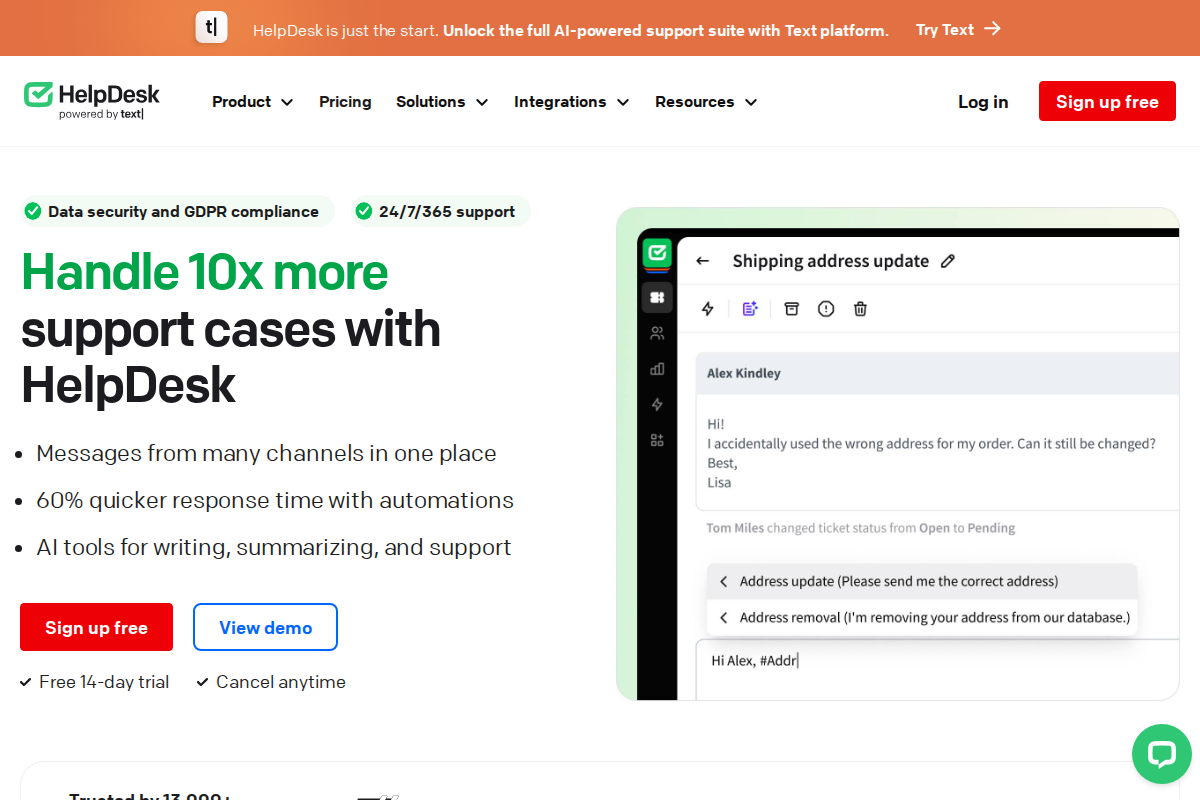
HelpDesk's email channel setup lets you connect multiple support addresses (support@client1.com, support@client2.com) and route them to different teams or tags. It's not true multi-brand (you can't fully white-label the portal per client), but it keeps conversations organized.
What agencies actually get:
- Separate inboxes per client domain
- Auto-tagging by email address
- Custom signatures per inbox
- Collision detection so two agents don't reply to the same ticket
The limitation: Customers still see HelpDesk branding on the agent side. If you need completely white-labeled support where clients think it's internal, you'll need a different tool.
Automation That Saves Real Time
Agencies live and die by efficiency. HelpDesk's automation rules handle the repetitive stuff:
- Auto-assignment: Route Client A tickets to Team A based on email address
- SLA tagging: Flag tickets approaching client-specific response time commitments
- Canned responses: Insert pre-written replies for common questions (with client-specific customization)
- Follow-up reminders: Auto-close tickets if customers don't respond, with appropriate messaging
Real example: One 12-person agency we talked to set up automation that reduced manual ticket sorting from 2 hours daily to 15 minutes. The time savings paid for the tool in the first month.
Reporting by Client
Here's where HelpDesk gets interesting for agencies. The reporting lets you filter and export by:
- Ticket volume per email channel (which maps to clients)
- Response times by tag
- Agent activity and time spent
The workflow: Tag tickets by client, run monthly reports, export to CSV, and bill accordingly. It's not automated time-tracking (you'd need integration for that), but it gives you the data for client invoicing.
Missing piece: HelpDesk doesn't have built-in time tracking per ticket. If you bill hourly for support, you'll need to track that separately or use their LiveChat integration for chat-based billing.
HelpDesk Pricing: What Agencies Actually Pay
| Plan | Price | Best For |
|---|---|---|
| Starter | $29/agent/month | Small agencies (2-5 agents) |
| Team | $39/agent/month | Growing agencies (5-15 agents) |
| Enterprise | $50/agent/month | Large agencies needing custom features |
Annual discount: 20% off when paid yearly — significant savings at scale.
Real cost example:
- 5-agent agency on Team plan: $195/month ($156 annual)
- 10-agent agency: $390/month ($312 annual)
- 20-agent agency: $780/month ($624 annual)
No free plan means you need budget from day one. Compare to Freshdesk's free tier or Zoho Desk's $0 option for 3 agents.
Hidden costs to watch:
- Additional inboxes beyond your plan limit
- API access for custom integrations (Enterprise only)
- LiveChat integration (separate LiveChat subscription)
Start a free HelpDesk trial to test the features before committing. Setup takes about 30 minutes.
Setting Up HelpDesk for Agency Work
Here's a practical setup workflow based on how agencies actually use the platform:
Week 1: Foundation
- Connect primary client channels — Start with your highest-volume client, get that inbox working smoothly
- Create client tags — One tag per client for reporting and filtering
- Set up canned responses — Build a library of common replies, customize per client
- Configure basic automation — Auto-assign by email domain, set up SLA alerts
Week 2: Optimization
- Add remaining clients — Roll out to other accounts one by one
- Train your team — 2-3 hours of hands-on practice per agent
- Build knowledge bases — Start with top 10 FAQs per major client
- Test reporting — Run sample reports to verify you can extract billing data
Week 3: Refinement
- Review metrics — Check response times, identify bottlenecks
- Adjust automation — Add rules as patterns emerge
- Client communication — Notify clients of new support process (if visible to them)
Total time investment: 1-2 weeks for a smooth rollout. Don't rush it — bad setup creates months of friction.
The Honest Pros and Cons
Where HelpDesk Wins for Agencies
Clean, fast interface — Agents can move through tickets quickly without clicking through endless menus. Speed matters when you're handling 50+ tickets daily across clients.
Predictable pricing — Per-agent model means costs scale linearly. No surprise overages when ticket volume spikes.
Good LiveChat integration — If you use LiveChat for real-time support, the HelpDesk integration is solid. Tickets flow seamlessly between chat and email channels.
Quick setup — Most teams are operational in days, not weeks. For agencies that need to onboard new clients rapidly, this matters.
Where HelpDesk Falls Short
No true multi-brand — Clients can see HelpDesk branding. If white-label is non-negotiable, look at Freshdesk or Zendesk.
Limited integrations — Compared to Zendesk's 1,000+ apps, HelpDesk's ecosystem is smaller. If you need specialized agency tools, verify integrations exist.
No native time tracking — Billing clients by the hour? You'll need external time tracking or manual logging.
Reporting is basic — You can extract client data, but it's not as polished as enterprise tools. Plan for some CSV wrangling.
When to Choose HelpDesk (and When to Skip)
Choose HelpDesk if:
- You're a small to mid-size agency (2-20 agents)
- You need straightforward ticketing without complexity
- Clean interface and fast setup matter more than advanced features
- You can live with HelpDesk branding on the agent side
- You want predictable per-agent pricing
Skip HelpDesk if:
- You need true white-label support (client can't see vendor branding)
- You require extensive third-party integrations
- Time tracking per ticket is essential for billing
- You're a large agency with complex routing needs (50+ agents)
- Budget is extremely tight (no free plan)
Alternatives Worth Considering
Freshdesk — Generous free tier, true multi-brand on higher plans, more integrations. Better for agencies that need white-label.
Zendesk — Enterprise power, extensive customization, true multi-brand. More expensive but scales further.
LiveChat — If real-time chat is your primary channel, LiveChat's native ticketing might be simpler than adding HelpDesk.
Zoho Desk — Unlimited agents on paid plans, strong automation, part of Zoho suite. Good value for budget-conscious agencies.
See our best helpdesk software comparison for full rankings across all categories.
Real Agency Setup: A Case Study
A 10-person marketing agency we talked to switched to HelpDesk from a shared Gmail inbox. Their results after 3 months:
- Before: 15-20% of emails fell through cracks, no visibility into response times
- After: 98% of tickets tracked, average response time down from 8 hours to 2 hours
- Billing accuracy: Client invoicing improved from estimates to actual ticket-based billing
- Agent satisfaction: Team reported less stress, clearer priorities
The catch: They had to compromise on white-label. Clients see "via HelpDesk" on email replies. For their use case, the tradeoff was worth it.
Advanced Tips for Agency Teams
Once you're past the basic setup, here are strategies that extract more value from HelpDesk:
Use Tags for Client Billing Categories
Don't just tag by client name — add secondary tags for billing categories:
- "billable" vs "non-billable"
- "urgent" vs "standard" (for different rates)
- "maintenance" vs "project-work"
This granularity makes monthly invoicing much faster. Run a report filtered by client + billing tag, and you have your line items.
Build a Client Onboarding Checklist
Every new client needs the same setup steps. Document them: 1. Create email channel (support@client.com) 2. Set up client-specific canned responses 3. Configure auto-assignment rules 4. Add client tag 5. Set SLA alerts per client contract 6. Train assigned agents on client tone/requirements 7. Test with sample tickets
Having this checklist prevents mistakes and makes onboarding a 30-minute process instead of a multi-day scramble.
Create Internal Documentation
Your team needs to know:
- Which clients have which SLA commitments
- When to escalate vs handle directly
- How to tag tickets consistently for reporting
- Which canned responses to use for common scenarios
Document this internally. HelpDesk is only as good as the consistency of the team using it.
Monitor for Patterns
Monthly, review:
- Which client generates the most tickets (capacity planning)
- Which issues come up repeatedly (knowledge base opportunities)
- Which agents handle which clients best (routing optimization)
- Response time trends (SLA compliance)
This data helps you improve operations and justify tool costs to leadership.
Frequently Asked Questions
Can HelpDesk handle multiple clients?
Yes, through multiple email inboxes and tagging. It's not true multi-brand (no separate portals per client), but it keeps conversations organized by client.
How much does HelpDesk cost for a 10-person agency?
Team plan at $39/agent/month = $390/month, or $312/month with annual billing.
Does HelpDesk have time tracking?
No native time tracking per ticket. You can estimate from response times in reporting, but for precise billing you'll need external time tracking or the LiveChat integration.
Is HelpDesk white-label?
Partially. You can customize email signatures and some branding, but customers will see "via HelpDesk" on emails and the agent interface shows HelpDesk branding.
How long does setup take?
Basic setup: 1-2 days. Full rollout with all clients: 1-2 weeks.
What's the contract commitment?
Monthly or annual. Annual saves 20%. No long-term contracts required.
The Bottom Line
HelpDesk is a solid, no-frills choice for agencies that need reliable ticketing without enterprise complexity. It won't wow you with features, but it gets the job done at a fair price.
The tradeoff is flexibility — you get simplicity in exchange for customization options. For agencies that value speed and ease of use over advanced configuration, that's a fair trade.
Our recommendation: Start with the free trial, connect one client, and see if the workflow fits. If it does, the pricing is reasonable for what you get. If you need white-label or heavy customization, look at Freshdesk or Zendesk instead.
Related Resources
Simplify Ticketing with HelpDesk
Streamlined email ticketing for growing teams. Clean interface, powerful automation.
Start Free Trial →
Bob B.
Senior SaaS AnalystBob covers helpdesk tools, CRM platforms, and live chat software at AgentWhispers. He focuses on in-depth reviews, industry-specific recommendations, and feature analysis to help teams find the right support stack.