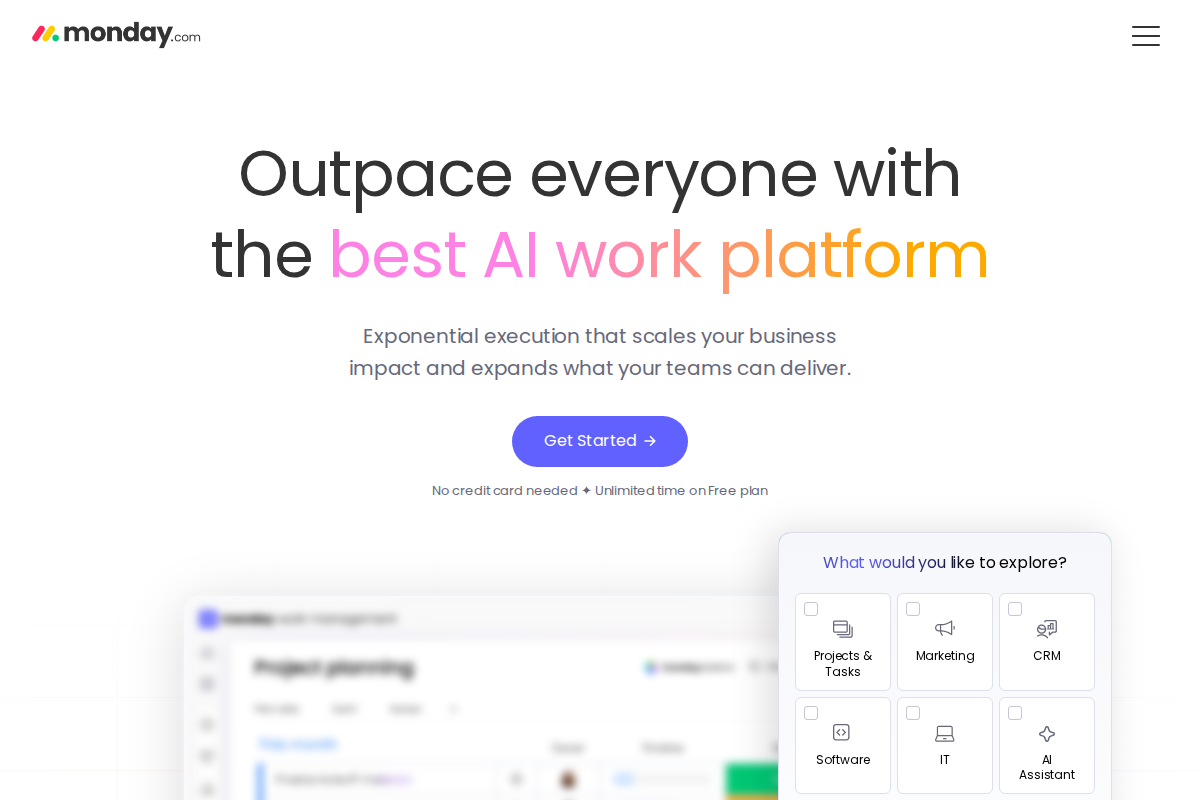
Monday.com and ClickUp are both popular work management platforms, but approach productivity differently. Monday.com prioritizes visual simplicity and ease of use. ClickUp packs in every feature imaginable, sometimes at the cost of complexity.
The choice depends on whether you prefer polished simplicity or comprehensive capability.
Quick Verdict
| Use Case | Winner |
|---|---|
| Ease of use | Monday.com |
| Feature depth | ClickUp |
| Visual appeal | Monday.com |
| Value for money | ClickUp |
| Quick setup | Monday.com |
| Customization | ClickUp |
| Team adoption | Monday.com |
| Power users | ClickUp |
Bottom line: Pick Monday.com if you want intuitive, visual work management that teams love using. Choose ClickUp if you want every feature possible and don't mind a learning curve.
Pricing Compared
ClickUp is significantly cheaper across all tiers. Their free plan is also more generous.
Ease of Use
Monday.com wins. The interface is intuitive, visually appealing, and requires minimal training. New team members productive in hours.
ClickUp has a steeper learning curve. More features mean more complexity. Powerful, but overwhelming at first.
Feature Depth
ClickUp wins. ClickUp packs in everything:
- Tasks, docs, whiteboards, goals, time tracking
- Multiple views (list, board, Gantt, calendar, table)
- Custom fields and formulas
- Automation and dependencies
- Chat and email
Monday.com covers essentials well but doesn't match ClickUp's breadth.
Visual Appeal
Monday.com wins. Colorful, engaging, delightful interface. Teams enjoy using it.
ClickUp is functional but utilitarian. Gets the job done without visual polish.
Customization
ClickUp wins. Almost infinitely customizable:
- Custom statuses, fields, views
- Templates and automations
- Custom task types
- Formula fields
- Relationships between tasks
Monday.com offers customization within its framework. ClickUp lets you reshape everything.
All-in-One Platform
ClickUp wins. Docs, whiteboards, chat, goals, time tracking — all included.
Monday.com focuses on project management. ClickUp tries to replace your entire productivity stack.
Value for Money
ClickUp wins. More features at lower prices. The free plan alone covers most small teams.
Monday.com charges premium prices for polished simplicity.
Learning Curve
Monday.com wins. Gentle learning curve, intuitive design, quick onboarding.
ClickUp requires investment. Certification courses exist for a reason. Power requires learning.
Real-World Scenarios
Scenario 1: Team New to Project Management
Need simple, intuitive tool for basic project tracking.
Winner: Monday.com. Easier adoption, gentler learning curve.
Scenario 2: Power User Team
Technical team wanting deep customization and features.
Winner: ClickUp. The depth and flexibility power users crave.
Scenario 3: Budget-Conscious Startup
Tight budget, need project management for growing team.
Winner: ClickUp free tier. Unlimited users, generous features, zero cost.
Scenario 4: Executive Visibility
Leadership wants beautiful dashboards and reports.
Winner: Monday.com. Visual polish impresses stakeholders.
Migration Between Them
Moving either direction is straightforward. Both have good export/import.
Many start with Monday.com for simplicity, move to ClickUp when they need more power.
The Verdict
Pick Monday.com if:
- Team adoption is critical
- You value ease of use over power
- Visual appeal matters
- You want quick setup
- Budget allows for premium pricing
- Simplicity reduces friction
Pick ClickUp if:
- You want every feature possible
- Power users will configure it
- Budget is tight
- You value features per dollar
- You're willing to invest in learning
- Customization is important
Don't pick either if:
- You need enterprise project management (consider Asana or Wrike)
- You want simple task lists (consider Todoist)
- You're a micro business (consider Trello)
- ClickUp review — In-depth ClickUp analysis
- Pipedrive vs Monday — Sales CRM vs work management
- Salesforce vs Monday — Enterprise CRM vs work OS
Related Articles
- How to Choose Helpdesk Software — Selection framework
- Best Helpdesk for Small Business — Top picks
What Real Users Say About Monday.com CRM
Overall sentiment: Monday.com CRM receives an 8/10 rating for features and usability with praise for visual customization at $12+/user/month, though users note essential CRM features are locked behind higher pricing tiers.
What users consistently praise:
TechRadar and CRM.org reviews emphasize the visual, customizable interface that makes pipeline management intuitive for sales teams. The Work OS foundation provides flexibility that traditional CRMs lack, with users praising the ability to adapt workflows without developer resources. Automation capabilities and integration ecosystem (40+ native integrations) satisfy teams wanting connected workflows. The Enterprise-level project management features appeal to organizations needing unified work and sales management platforms.
Recurring complaints:
Trustpilot reviews (November 2025) describe the platform as "not useful for project management" with complaints about "lack of features and lack of usability" — suggesting the visual approach doesn't satisfy all use cases. TechRadar notes essential CRM features like sales coaching tools, custom reporting templates, and custom field mapping are "sadly missing" from lower tiers. LarkSuite and Nutshell reviews criticize the pricing model where "many essential CRM features are locked behind higher-tier plans." The steep learning curve that SmartSuite documents (8/10 rating but with caveats) frustrates teams expecting immediate productivity.
The non-obvious takeaway:
Reddit r/mondaydotcom discussions reveal a pattern where teams initially attracted by the visual interface later struggle with "spreadsheet envy" — the flexibility that differentiates Monday.com from rigid CRMs becomes overwhelming for complex sales processes, creating a cycle of enthusiastic adoption followed by frustrated simplification or migration to purpose-built CRMs.
Sources: TechRadar, CRM.org, Trustpilot, LarkSuite, Nutshell, Reddit. Data aggregated February 2026.
What Real Users Say About ClickUp
Overall sentiment: ClickUp maintains a 4.5/5 rating on G2 with 94% user satisfaction for task creation, though reviews consistently cite steep learning curves and performance issues as significant drawbacks.
What users consistently praise:
G2 and Tech.co reviews emphasize ClickUp's customizability with 94% satisfaction ratings for task creation and due date features. Users particularly value the highly customizable dashboards and extensive integration ecosystem (200+ apps). The free plan's generosity — unlimited tasks, 100MB storage, unlimited users — receives specific praise as a genuine free tier rather than a limited trial. Automation capabilities and multiple view options (list, board, calendar, Gantt) provide flexibility that project management beginners and power users both appreciate.
Recurring complaints:
SmartSuite and SoftwareFinder reviews document a "huge learning curve" that frustrates new users, with some reporting weeks before feeling productive. Performance issues appear consistently: Clockify and Reddit users describe slow loading speeds for dashboard spaces, especially when multiple team members make simultaneous changes. Sync delays create coordination problems during monthly planning sessions. The extensive feature range that attracts users initially becomes overwhelming, with some r/projectmanagement users describing the platform as "cumbersome" despite its power.
The non-obvious takeaway:
Reddit discussions reveal a counterintuitive pattern: teams that initially praise ClickUp's flexibility often struggle with "feature fatigue" after 6-12 months, creating a cycle of enthusiastic adoption followed by gradual simplification as teams disable features to improve usability — suggesting the platform's greatest strength (options) becomes a liability for sustained productivity.
Sources: G2, Tech.co, SmartSuite, SoftwareFinder, Clockify, Reddit. Data aggregated February 2026.
Mobile Experience
Monday.com wins for simplicity. The mobile app mirrors the desktop experience beautifully. Colors, layouts, and interactions translate perfectly to smaller screens. Teams can check project status, update tasks, and communicate without friction.
ClickUp's mobile app is powerful but dense. All those features packed into mobile create a crowded interface. Power users appreciate having full functionality, but casual mobile users find it overwhelming. Sync issues occasionally plague the mobile experience, especially with document editing.
Integration Ecosystems
Monday.com: 40+ native integrations including Slack, Microsoft Teams, Google Workspace, and major CRMs. The integration quality is high — they're polished and reliable. However, the limited number forces teams to use Zapier for niche tools.
ClickUp: 200+ integrations covering almost every productivity tool imaginable. The breadth is impressive, though quality varies. Popular integrations (Slack, GitHub, Google) work smoothly. Lesser-known tools sometimes have limited functionality.
Customer Support Comparison
Monday.com: 24/7 support on all paid plans. Response times average under 2 minutes for live chat. Enterprise customers get dedicated account managers. The knowledge base is well-organized with video tutorials and templates.
ClickUp: 24/7 support on Business and Enterprise plans. Free and Unlimited plans get email support with 24-hour response times. The documentation is comprehensive — arguably the best in the industry — with detailed guides for every feature. However, live chat can have longer wait times during peak hours.
Security and Compliance
Both platforms offer enterprise-grade security:
Monday.com: SOC 2 Type II certified, GDPR compliant, HIPAA available on Enterprise. Two-factor authentication, SSO, and advanced permissions on higher tiers.
ClickUp: SOC 2 Type II certified, GDPR compliant. Two-factor authentication on all plans, SSO on Business and Enterprise. Advanced permissions and guest controls available.
For most teams, both are secure enough. Healthcare and finance should verify specific compliance needs.
Frequently Asked Questions
Is ClickUp better than Monday.com?
Feature-wise, yes. Experience-wise, depends on your team's preferences. ClickUp offers more capabilities; Monday.com offers better usability.
Is Monday.com worth the price premium?
For teams that struggle with adoption, yes. The simplicity drives usage and reduces training costs. If your team abandoned previous tools due to complexity, Monday.com's premium pays for itself.
Can ClickUp replace Monday.com?
Functionally, yes. ClickUp can do everything Monday.com does and more. However, the experience differs significantly. Some teams prefer Monday.com's visual polish and find ClickUp overwhelming.
Which has better customer support?
Both are good but different. Monday.com offers faster live chat response times. ClickUp provides more comprehensive documentation and self-service resources.
Should I start with Monday.com or ClickUp?
Start with Monday.com if ease of adoption matters most or you have non-technical team members. Start with ClickUp if budget is tight, you need specific advanced features, or you have power users who enjoy customization.
Which is better for remote teams?
Both work well for remote teams. Monday.com's visual clarity helps asynchronous communication. ClickUp's all-in-one approach reduces tool switching. Choose based on your team's technical comfort level.
Can I migrate from one to the other easily?
Yes. Both platforms offer CSV export/import. Monday.com to ClickUp migrations are common as teams outgrow simpler workflows. Expect 1-2 days of setup and adjustment regardless of direction.

Erika A.
Pricing & Comparison SpecialistErika breaks down SaaS pricing tiers, hidden fees, and value-for-money across helpdesk and customer support tools at AgentWhispers. Her comparison frameworks help teams make informed purchasing decisions.